Rhythm-game history / Historical analysis
SOUND VOLTEX: buttons and continuous knob control
SOUND VOLTEX BOOTH adds rotary knobs to button presses. Following lines with those knobs creates continuous movement alongside notes struck at a particular instant.
Article summary
- Combine button inputs with continuous knob rotation.
- Continuous signals require following after initiation.
- Give current-state feedback while input is sustained.
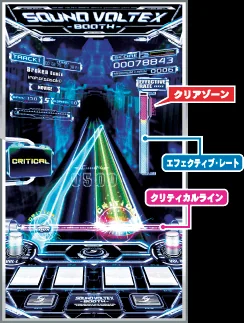
SOUND VOLTEX BOOTH · Official screen guide
An official guide to tilted lanes and the lower critical line. Button notes and analog lines share the screen but map to pressing and knob rotation respectively.
Image credit: KONAMI / e-amusement · Source page ↗ · Original image ↗
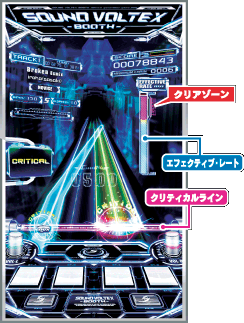
Basic controls
- Read when objects reach the lower critical line.
- Press short notes and hold long notes.
- Follow analog lines with the left and right rotary controls.
Roles of buttons and knobs
The official instructions map continuous lines on screen to physical knobs. Reading a button note and following a rotary line ask for different actions. The product also makes sound-changing effects part of the control concept.
The 2012 BOOTH record
KONAMI's chronology records SOUND VOLTEX BOOTH in 2012. Its product documentation explains analog rotary controls, long and short buttons and applying effects. This article uses the first product's materials to explain the series' control direction.
Controls and features at a glance
| Element | What the player does | Play characteristic |
|---|---|---|
| Buttons | Enter notes in the corresponding lane | Instant or sustained timing |
| Knob | Follow the continuous line on screen | Direction changes during progression |
| Feedback | Communicate state through sound and visuals | Distinguish the hit moment from sustained input |
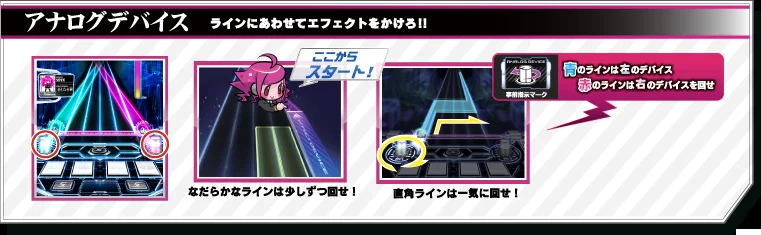
SOUND VOLTEX BOOTH · Knob-control guide
An official illustration connecting on-screen lines to controller knobs, showing the mapping of continuous input.
Image credit: KONAMI · Source page ↗ · Original image ↗
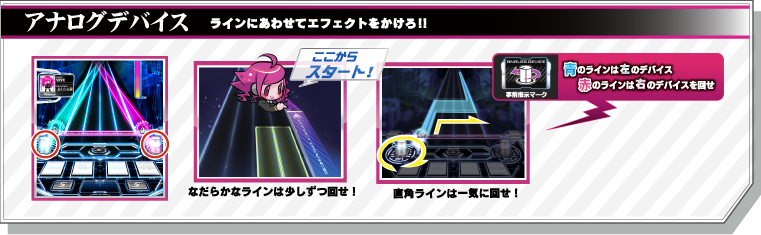
Starting and sustaining continuous input
A tap centers on an input time; a continuous action also needs tracking and ending conditions. Define how a successful start becomes a visible sustained action and at which stages it can fail.
State after release
For taps, holds and drags, specify the start, sustained portion and end. The rules must state what happens after releasing a hold and how later inputs are affected. Check whether the feedback communicates that continuing process.
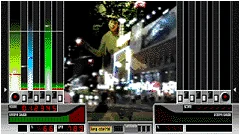
beatmania IIDX · Official original-product screenshot
Music visuals sit between seven-key and scratch lanes on each side. The official archived image is presented at its original resolution. Key lanes and scratching correspond to different hand movements.
Image credit: KONAMI · Source page ↗ · Original image ↗

Effects and essential rhythmic cues
Keep the reference rhythm audible through effects and timbre changes. An IIDX comparison can examine how long an action continues and what sound it produces. Read the physical input and audio response together.
Sources & scope
Based on official BOOTH documentation and history. Judgment values and screen options from later cabinets are distinguished from original specifications.