Rhythm-game history / Historical analysis
Cytus: timing through a moving scan line
In Cytus, a moving horizontal scan line tells players when to touch notes across the screen. Following its progress and locating the next note become parts of the same timing task.
Article summary
- Read the moment the horizontal scan line meets each note.
- Observe note position together with scan-line progression.
- Shared touch controls can use different timing representations across games.
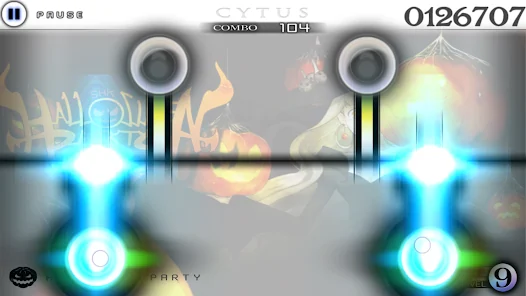
Cytus · Rayark's official Android promotional screenshot
A later official Cytus screen with a horizontal scan line and sustained notes. The line moves across the screen, and players act when it meets stationary notes.
Image credit: Rayark / Google Play · Source page ↗ · Original image ↗
Basic controls
- Read the scan line's movement direction.
- Touch when the line meets a note's position.
- For sustained notes, follow the hold interval after the start.
The moment line and note meet
The scan line sweeps through note positions to signal when to press. Players watch its progress while preparing their hands for the next note. Its direction and speed turn space into timing information.
The January 2012 original
Rayark's official introduction dates Cytus to January 2012 and explains pressing in time with the moving scan line. The article's date and basic controls refer to the original Cytus.
Controls and features at a glance
| Element | What the player does | Play characteristic |
|---|---|---|
| Note position | Locate where to press on screen | Prepare the next hand position |
| Scan line | Read when the line reaches a note | Represent time through spatial movement |
| Sustained input | Hold according to note type | Judge both beginning and ending |
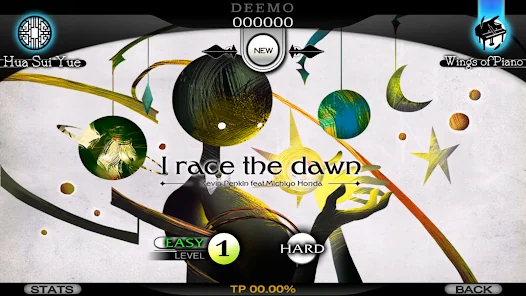
Cytus · Official Android song-selection screen
Song selection, the preparation stage before responding to the scan line during play.
Image credit: Rayark · Source page ↗ · Original image ↗
Information from selection through results
Song selection provides what the player needs before starting; results summarize the completed round. Read them alongside gameplay to trace the sequence from choice to inputs to outcome. Captions identify the role of each screen.
Line reversals and anticipation of the first input
When assessing a new timing display, examine what happens when the line reverses and how it prepares the first input. Locating the line and anticipating its arrival at a note are different tasks. Start with a simple pattern that connects them before increasing density.
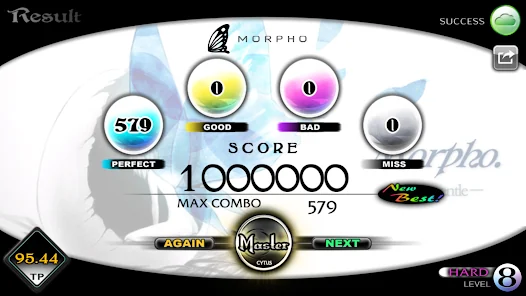
Cytus · Official Android results screen
Results after a round, allowing comparison of gameplay input cues with post-play information.
Image credit: Rayark · Source page ↗ · Original image ↗
Position and occlusion on a small screen
Note spacing and the area covered by a finger affect input alongside scan-line movement. If timing cues briefly diverge, the player also needs a clear reference to follow. Define how location and timing information work together.
Sources & scope
The original's date and controls follow Rayark's introduction. The article focuses on Cytus's scan line and mobile-screen arrangement.