Rhythm-game history / Historical analysis
jubeat: pressing the signal on a 16-panel grid
jubeat places timing signals on sixteen panels in a 4×4 grid. Players press where a signal appears, bringing display and control together. Reading across the grid and preparing the next hand position remain central to the challenge.
Article summary
- Timing signals appear on each panel of a 4×4 grid.
- Press the panel where the signal appears.
- Also inspect whether the hand obscures the next signal.
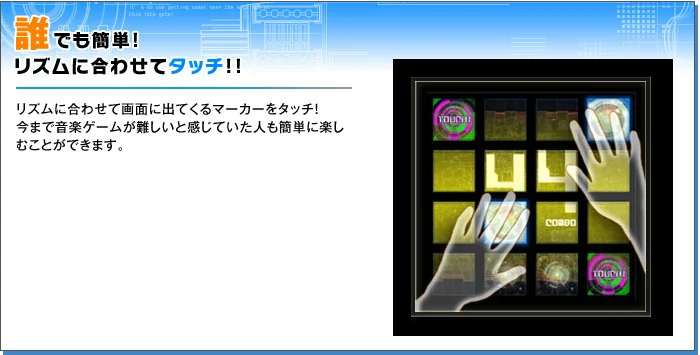
jubeat · Official original-product control guide
An official guide mapping markers on 4×4 panels to hand positions. Players press the same panels that display signals, so screen and physical input positions overlap.
Image credit: KONAMI · Source page ↗ · Original image ↗

Basic controls
- Find which of the sixteen panels displays a marker.
- Press that panel at the marker's timing.
- Prepare hand movement without hiding the next marker.
Where display and input overlap
Each marker's changing appearance signals when to press its panel. Players read across the grid and move their hands to the indicated positions. Display and physical input occupy the same surface.
The 2008 record and sixteen panels
KONAMI's chronology records jubeat in 2008. An official KAC interview also mentions sixteen panels. These sources establish the date and input configuration.
Controls and features at a glance
| Element | What the player does | Play characteristic |
|---|---|---|
| Grid | Read signals across sixteen positions | Distribute attention across the area |
| Marker | Changes at each position anticipate timing | Read the shape's progression |
| Hand position | Directly press the signaled panel | Position matching alongside occlusion |
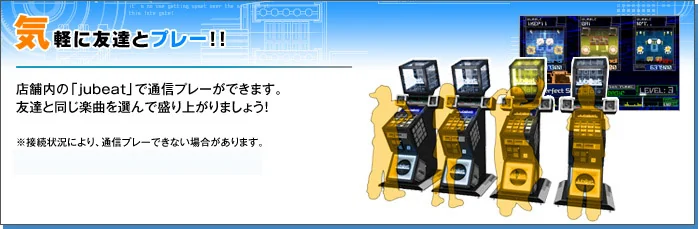
jubeat · Official cabinet guide
An official image introducing the actual cabinet and its 4×4 control panels.
Image credit: KONAMI · Source page ↗ · Original image ↗

Attention distribution and hand occlusion
Pressing a lit panel directly connects a visible cue to a hand position. The player still needs to divide attention among locations and place their hands so upcoming markers stay visible. Observing those actions makes the difficulty of direct-touch play more concrete.
An experiment comparing layouts
A hypothetical comparison puts the same targets at the same times in a row and a grid, then records missed positions. Keep lead time consistent when examining the change in hand coverage. Record each variable so differences between layouts remain interpretable.
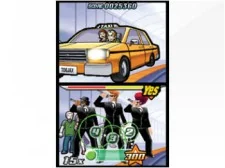
Elite Beat Agents · Official European Nintendo DS screenshot
The upper screen shows events and the results of encouragement; circular input signals occupy the lower screen. The article's year refers to the 2006 North American release, while the image comes from Nintendo's European product page.
Image credit: Nintendo · Source page ↗ · Original image ↗

Finding the next target
Ask whether a grid pattern must be remembered after its signals disappear, and whether moving hands cover the next cue. Comparison with DS touch controls shows how similar position mapping can become a different task at another device size or posture.
Sources & scope
Based on official history and interviews. The panel-layout comparison is a hypothetical example explaining input position and visual attention.