Rhythm-game history / Historical analysis
Elite Beat Agents: touch location meets timing
Elite Beat Agents turns the DS touch screen into a space for taps, traced paths and spins. The lower screen combines position with timing; the upper screen shows the situation those actions affect. Both contribute to the same sequence of play.
Article summary
- Handle position and timing together on the lower touch screen.
- Taps, slides and spins have different initiation and sustain conditions.
- Read both DS screens as one gameplay scene.
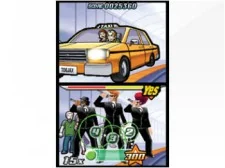
Elite Beat Agents · Official European Nintendo DS screenshot
The upper screen shows events and the results of encouragement; circular input signals occupy the lower screen. The article's year refers to the 2006 North American release, while the image comes from Nintendo's European product page.
Image credit: Nintendo · Source page ↗ · Original image ↗

Basic controls
- Read numbers and shrinking circles on the lower screen.
- Touch with the stylus when the circles align.
- Trace slider paths and draw circles for spinners.
Three different touch actions
A tap centers on one instant. Following a path adds changing position and sustained contact; spinning requires continuous movement. Starting, holding and moving give the three touch actions different demands.
Scope: the 2006 North American DS release
Nintendo's contemporary materials and North American manual establish the product's period and controls. The manual separates circle tapping, path following and spinning and explains the upper story and lower touch screens. This article concerns the 2006 North American DS version.
Controls and features at a glance
| Element | What the player does | Play characteristic |
|---|---|---|
| Tap | Press the indicated point at the right time | Match position and timing |
| Slide | Move along the specified path | Move while maintaining input |
| Spin | Rotate with the stylus | Sustain repeated movement |
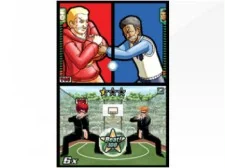
Elite Beat Agents · Official Nintendo DS screenshot
An official capture showing both DS screens, with interaction and story in separate areas.
Image credit: Nintendo · Source page ↗ · Original image ↗

Direct input and hand occlusion
Touching a cue where it appears creates a direct link between display and input. The hand also covers part of that display. Place subsequent cues with its position in mind to support both intuitive interaction and readability.
Travel distance and preparation time
Tapping one location repeatedly differs from alternating between opposite sides, even at identical time intervals. Changing positions lets a comparison examine travel and occlusion together. Those observations help assess reading and preparation before adjusting the timing window.
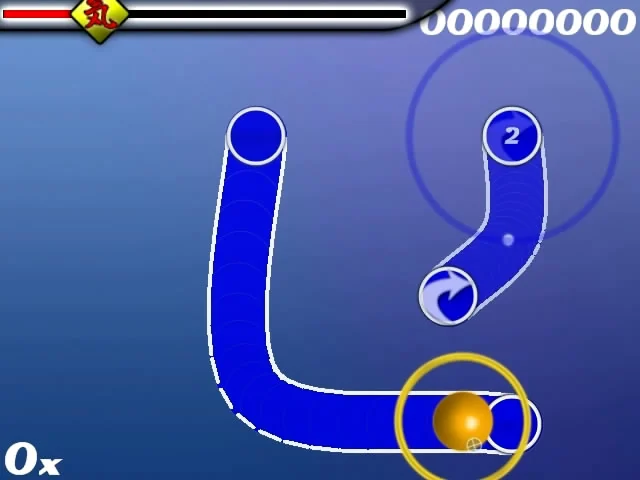
osu! · Early 2007 screenshot preserved in the official wiki
An early osu! screen with hit circles and curved sliders, preserved in the official wiki's record of the game's developing editor and player community.
Image credit: ppy / osu! wiki · Source page ↗ · Original image ↗
Distributing story and control information
The upper screen communicates changes in the situation; the lower screen carries input results. Reading a numerical result and understanding its story consequence provide different information. Define both screens' roles to identify where information overlaps or disappears.
Sources & scope
The official manual and contemporary materials for the 2006 North American Nintendo DS release were compared to explain taps, slides, spins and the two screens' roles.