Game planning / Production guide
How to write a playtest report: observations and impressions
A useful playtest report gives a design decision a basis in observed play. Drawing on Valve's research methods and the Portal postmortem, this guide moves from research questions and facilitator scripts to event records, analysis and retesting.
Article summary
- Choose observations, questions, metrics and comparisons to fit the research question.
- Record how speech, assistance and output conditions shape play.
- Separate participant-level and note-level units, and support the next revision with evidence.
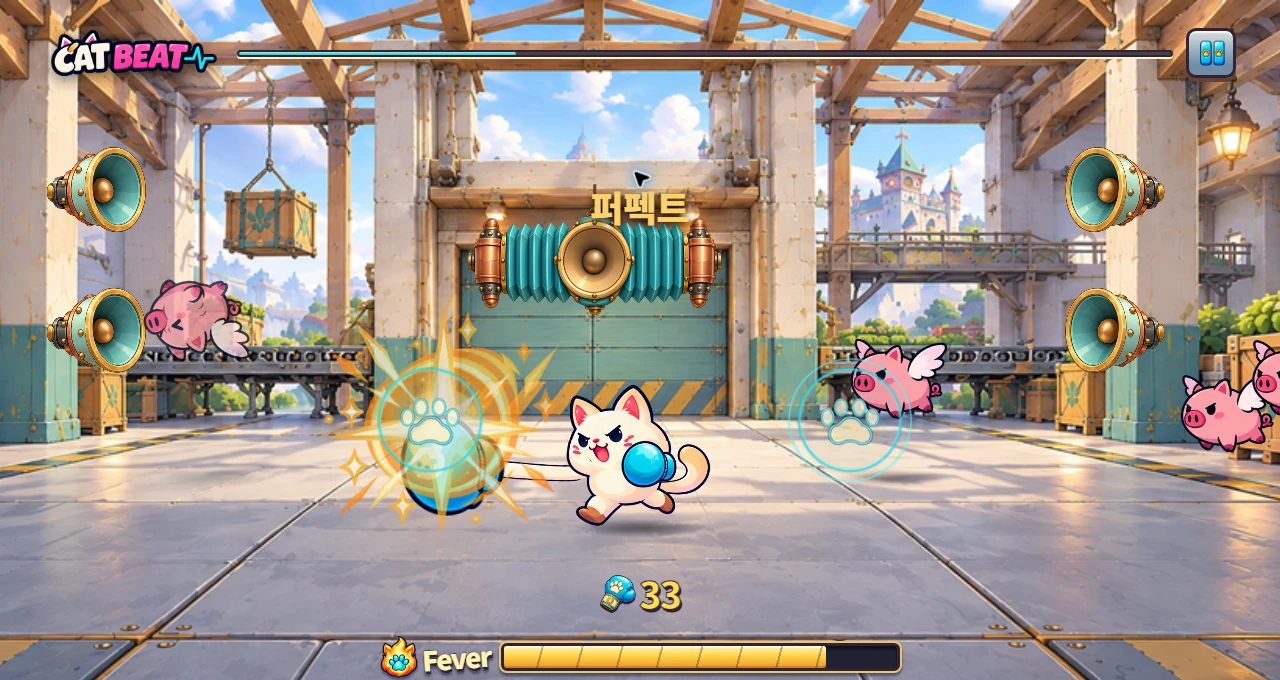
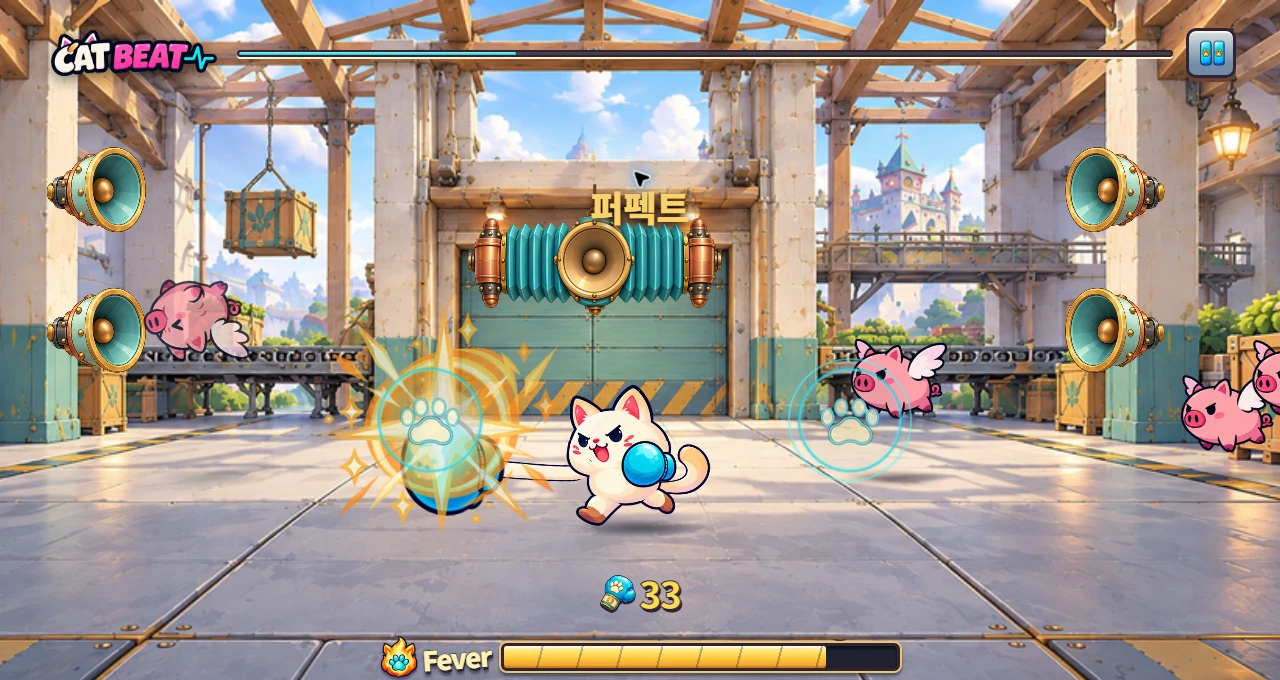
CAT BEAT : Wake the Beat · Development screenshot
A development screenshot using the Chapter 3 boxing background. Players counter incoming targets by matching their direction and timing.
Image credit: Level Up Today · Source page ↗ · Original image ↗
What studios learn from playtests
In his 2009 presentation, Valve's Mike Ambinder described forming design hypotheses, observing play, evaluating results and feeding them into the next design. Direct observation, participants' words, questionnaires, behavioral statistics and condition comparisons are treated as ways to answer different questions.
Portal's Kim Swift and Erik Wolpaw also discuss playtesting in their production postmortem. They describe watching people play to understand how clearly progression and story were communicated. Showing scenes early gave the team observations to carry into its next revision.
This guide organizes recording and reporting procedures from public presentations and game user research materials. The five sessions, quotations and figures below are fictional editorial learning examples.
Related primary sources: Valve · Mike Ambinder · Valve’s Approach to Playtesting · GDC 2009 ↗ · Valve · Kim Swift & Erik Wolpaw · Portal Post-Mortem · GDC 2008 ↗
Frame a research question for the current decision
Begin the test plan with the screen under review and the decision to be made. “Does a player notice where and when to act when the first target appears?” calls for observing their first action. “Does the revised advance cue reduce timing error?” requires comparison conditions and a measurement method.
Game user researcher Steve Bromley describes matching observation, interviews, surveys and behavioral data to the research goal. Watching play reveals the interaction; follow-up questions explore what the player expected. Revisit a specific scene and action when asking why they made a choice.
Put the question, build, participant criteria, task and intended decision on the first page. Run a short pilot to check that the task is clear and the required events are captured, then finalize the facilitator script.
Related primary sources: Steve Bromley · Choose the right playtest method ↗
Evidence to include in the report
| Item | What to record | Connection to the next decision |
|---|---|---|
| Question | Target build, task and behavior to observe | The revision to choose now |
| Method | Participant criteria, environment and facilitator script | The circumstances that produced the record |
| Observation | Times, inputs, assistance and statements | Evidence that can be revisited |
| Aggregation | People, sessions, notes and inclusion scope | The question answered by the figure |
| Follow-up | Revision, new build and retest task | Behavior to check against the same question |
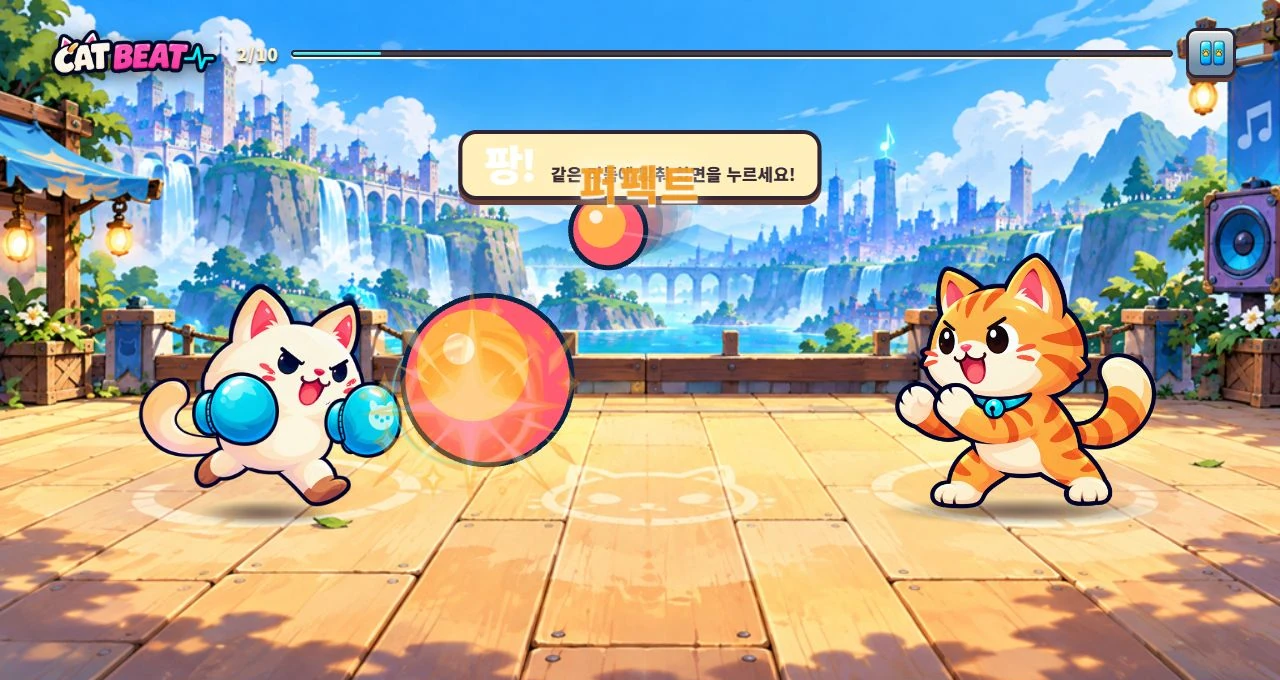
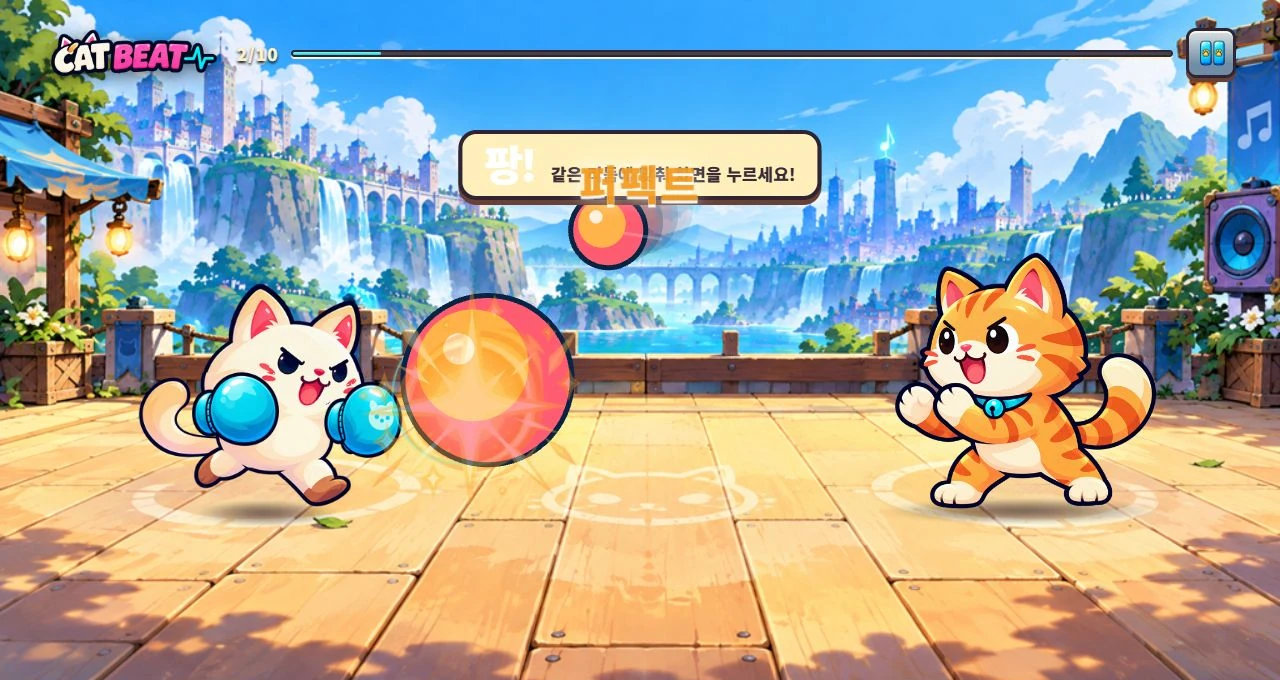
CAT BEAT : Wake the Beat · Development screenshot
Practice mode in development, showing how the rhythm players hear connects to the actions they perform.
Image credit: Level Up Today · Source page ↗ · Original image ↗
Choose recording methods to fit the question
| What to learn | Method | Conditions to record alongside it |
|---|---|---|
| What players do first | Play observation and event logs | Start reference, assistance and first exposure |
| What players expected | Questions revisiting the scene | Question wording, scene time and response time |
| Where inputs cluster | Target and input timestamp aggregation | Music clock, device and correction value |
| Under which conditions behavior changes | Condition comparison | Changed variable, order and repeated exposure |
Record who took part and how they played
To study onboarding for newcomers, group together participants seeing that build for the first time. Record their rhythm-game experience, exposure to previous versions, control device and input method. If someone tries multiple conditions, keep the order and number of attempts.
On Microsoft's developer site, a Parsec representative describes how Xbox Research delivers development builds for remote studies. Streaming adds video and input-transmission conditions. Timing studies should distinguish local play from streamed play and record the connection and audio output setup.
For every session, record the build, content version, screen size, frame settings, volume, speaker or wired/wireless output, timing correction and input device. Explain the study and recording arrangements to participants and confirm their agreement. Published examples use identifiers such as P01; the research plan defines who can access actual records and when they are retained or deleted.
Related primary sources: Microsoft Developer · Parsec representative's Xbox Research remote-playtesting case ↗
Standardize the script and assistance rules
The facilitator explains the task, then gives participants time to read the screen and act. “Start this exercise and finish one round” is one possible instruction. When testing whether players can discover the input area unaided, let the screen communicate where and when to press.
Define assistance conditions and wording beforehand. Specify handling when participants want to stop or execution fails, the response to a request for help, and the observation interval for unaided progress. Recording assistance time and the exact words spoken separates behavior before and after help.
NN/g explains how the wording of a question can influence both the answer and later behavior. Ask participants to describe what happened: “What were you trying to do here?” invites an account of the experience. Questions such as “The guidance helped, didn't it?” suggest an answer. Show the relevant screen or a short replay to connect an observation with the participant's interpretation.
Related primary sources: NN/g · Amy Schade · Avoid Leading Questions to Get Better Insights from Participants ↗
Separate timing measurements from think-aloud sessions
Valve's presentation explains that thinking aloud can reveal reasons for decisions, while speaking can also affect performance. Fast timing tasks can therefore use a separate procedure: silent play followed by review of the scene.
For example, record input and target timestamps during the first run, then show a scene where the participant paused and ask about their expectations and choices. Identify exploratory sessions using concurrent speech as a separate method. Retrospective statements retain both the question time and the time of the revisited scene.
Compare input and target timestamps on the same timeline as music playback. Observer notes use a different reference from the game's music clock, so align them with a session-start event and state their precision. Using video frames to estimate millisecond input timing also requires accounting for capture and output latency.
Related primary sources: Valve · Mike Ambinder · Valve’s Approach to Playtesting · GDC 2009 ↗
Keep observations, statements and interpretations in separate fields
Observations describe events established from the screen and logs. Record time and state, for example, “The first target's judgment window closed at 4.2 seconds, with no input recorded.” Preserve participants' actual words in the statement field, and label any recorder's paraphrase as a summary.
The fictional editorial P01 session sequences a first miss at 4.2 seconds, a statement at 4.6, assistance at 6.0 and the first input at 7.0. “I thought it was the start instructions” is a fictional quotation written for this example. Actual studies should link back to original recordings through video, log and note locations.
An interpretation might propose investigating the cues that distinguish startup instructions from playable targets. A revision could then change advance-marker shapes and transition cues. State the next task and behavior to observe so the decision remains traceable to the evidence.
Related primary sources: Valve · Mike Ambinder · Valve’s Approach to Playtesting · GDC 2009 ↗ · NN/g · Amy Schade · Avoid Leading Questions to Get Better Insights from Participants ↗
From original records to the next build
An editorial process diagram. Preserve events and statements, then connect interpretations to revisions.
- Original recordsVideo, log and note locations
- Events and statementsEvent times, actions and actual wording
- Explanatory hypothesisPossible causes and further checks
- Element to reviseAdvance cues, guidance and judgment feedback
- RetestNew build, same question and observations
Define events and completion before counting results
The codebook defines first-target misses, input counts, hits, unaided completion and completion after assistance. For example, reaching the results screen without help counts as unaided completion; reaching it after control guidance counts as assisted completion. Total round hits can still be retained in a separate column after assistance.
Record the state and reason for sessions with execution errors or early endings. Treat missing records as missing values, and state the session and target inclusion rules for every table. All five sessions in this example complete all 16 targets.
A note is the unit when scoring timing; people are the unit when estimating how many participants understand guidance. Notes played by one person are related, repeated observations. Use per-person values for participant-level conclusions, and describe that repeated structure when reporting note-level results.
Related primary sources: Valve · Mike Ambinder · Valve’s Approach to Playtesting · GDC 2009 ↗
Aggregation rules for the fictional example
Uses the same definitions as the downloadable file.
| Field | Definition | Unit |
|---|---|---|
| first_target_missed | No successful input before the first target's valid window closes | 0/1 per session |
| help_given | Facilitator provides control guidance | 0/1 per session and time provided |
| completed_unassisted | Reach results without control guidance | Session |
| completed_with_help | Reach results after receiving control guidance | Session |
| successes / targets | Finalized hits / all observed targets | Notes, summarized by session |
| technical_interruption | Interrupted by execution error; cause and handling recorded | Session state |
Read five fictional sessions at the right level
In the attachment, first-target misses for P01–P05 are 1, 1, 1, 0 and 0. Thus 3/5 sessions, or 60%, miss the first target. P01 and P02 complete after control guidance; the other three complete unaided. The unaided completion rate is 3/5, or 60%.
Session hit counts are 8, 10, 11, 14 and 13, each out of 16 targets. Across 80 observed targets, 56 hits produce a note-level hit rate of 70%. Per-person hit rates are 50%, 62.5%, 68.75%, 87.5% and 81.25%.
First-target misses, unaided completion and note-level hit rate answer different questions. Two sessions also include mid-session assistance. The report presents these calculations as five fictional sessions; actual findings should be written within recruitment criteria and observational scope.
Related primary sources: Valve · Mike Ambinder · Valve’s Approach to Playtesting · GDC 2009 ↗
Calculations for five fictional sessions
An editorial learning example. All fictional records complete 30 seconds and 16 targets. Actual player figures require separate measurement.
| Session | First-target miss | Control-guidance time | Completion type | Hits / total |
|---|---|---|---|---|
| P01 | Yes | 6.0 s | Completed after assistance | 8 / 16 |
| P02 | Yes | 5.5 s | Completed after assistance | 10 / 16 |
| P03 | Yes | No | Completed unaided | 11 / 16 |
| P04 | No | No | Completed unaided | 14 / 16 |
| P05 | No | No | Completed unaided | 13 / 16 |
| Aggregation | 3 / 5 =60% | 2 sessions | Unaided: 3 / 5 = 60% | 56 / 80 =70% |
Prioritize revisions by frequency and effect on progression
For each finding, record the sessions involved, when it occurred, how it affected progress and what decision follows. “Missed the first target” and “Asked for help finding the controls” describe different behaviors, even in the same scene. Set priorities using both recurrence and the conditions that blocked progress.
In the fictional records, P01 and P02 receive help. A candidate revision shows the input area before practice starts and clarifies the transition from instructions to active play. Review the original records alongside P03's same miss to investigate when different cues were noticed.
Link each finding to observations, possible explanations, a proposed revision and a retest task. Include production cost and the areas affected. Track whether the work is being investigated, scheduled, implemented or retested, and connect the next build's records to the original evidence.
Related primary sources: Valve · Mike Ambinder · Valve’s Approach to Playtesting · GDC 2009 ↗ · Steve Bromley · Choose the right playtest method ↗
Example of documenting one finding
The statements and observations below are fictional editorial examples.
| Category | Record |
|---|---|
| Observation | P01 and P02 received control guidance. First-target misses were recorded for P01, P02 and P03. |
| Original records | P01: miss at 4.2 s / fictional statement at 4.6 s / guidance at 6.0 s / first input at 7.0 s |
| Statement | Fictional P01 quote: “I thought it was the start instructions.” |
| Explanation to investigate | Check the role of cues distinguishing instructions from active play targets. |
| Revision and retest | Clarify input area and start cue → record newcomers' first run, assistance and first input |
Account for learning and presentation order
Before comparing guidance revisions, record the builds, changes, music, target arrays and participants' previous exposure. Use new participants' first attempts to investigate newcomer understanding. To study one person's adaptation, retain the sequence of attempts and amount of practice.
When the same participants experience advance-cue conditions A and B, split and record presentation order. Familiarity and fatigue may change alongside the condition, so examine values by both condition and order. Separate signed mean error, absolute error and misses, and prepare participant-level summaries for group comparisons.
Valve's statistical illustrations are labeled as using illustrative figures. This article's examples likewise explain calculations and reporting procedures. Actual report tables should state the execution environment, included sessions, analysis unit and observation period so readers can understand the figures' scope.
Related primary sources: Valve · Mike Ambinder · Valve’s Approach to Playtesting · GDC 2009 ↗
Lead the report with the next decision
The first page states the research question, main findings, proposed change and next behavior to check. The body supplies the method, participant criteria, environment, tasks, assistance rules, evidence for each finding and summary tables. Appendices hold the codebook, log fields, script, locations of original records and versions.
Write findings as brief factual statements followed by evidence. In the fictional example: “Control guidance was provided in two of five sessions. After clarifying the input area and start cue, observe new participants' first inputs.” This connects events to follow-up work.
The attachments provide separate event notes, session summaries and a report template. Before using them in a project, clear the example rows and define the research question and assistance rules. CAT BEAT's own development records can use the same links between builds, controls and target times to explain revisions.
Related primary sources: Valve · Mike Ambinder · Valve’s Approach to Playtesting · GDC 2009 ↗ · Valve · Kim Swift & Erik Wolpaw · Portal Post-Mortem · GDC 2008 ↗
Files to use
A learning example created by Level Up Today. It may be adapted for use and is separate from actual player records or original game data.
Event observation example · CSV (Korean) ↓
Five fictional session aggregates · CSV (Korean) ↓
Questions, findings, revisions and retests · MD report (Korean) ↓
Sources & scope
Sources reviewed 2026.10.17: Valve's playtesting presentation, PDF pp. 4–25 and 30–39; the Portal postmortem, pp. 13–15; Bromley's article on method selection; the Parsec representative's case on Microsoft's developer site; and NN/g's question-writing article. Studio presentations, expert methodology and a supplier case are used with their source types identified. This interprets procedures described in public presentations rather than a released internal report. P01–P05, their quotations, timestamps and aggregates are fictional editorial examples; actual CAT BEAT user research belongs to subsequent measured records.
- Valve · Mike Ambinder · Valve’s Approach to Playtesting · GDC 2009 ↗
- Valve · Kim Swift & Erik Wolpaw · Portal Post-Mortem · GDC 2008 ↗
- Steve Bromley · Choose the right playtest method ↗
- Microsoft Developer · Parsec representative's Xbox Research remote-playtesting case ↗
- NN/g · Amy Schade · Avoid Leading Questions to Get Better Insights from Participants ↗
- CAT BEAT : Wake the Beat · Development screenshot · Image source ↗