Game planning / Planning guide
Designing a core loop: cues, actions and results
A core loop carries the result of one action into the player's next decision. Using Nintendo and Valve's published development material and the MDA framework, this guide examines both individual inputs and the pacing of longer sections. It then sets out conditions and observations for comparing two versions of a rhythm exercise.
Article summary
- Follow cues, choices and inputs through to how players read a result and decide what to do next.
- Distinguish individual inputs, patterns, complete rounds and reasons to play again.
- Specify lead time, screen movement and order effects before comparing conditions.
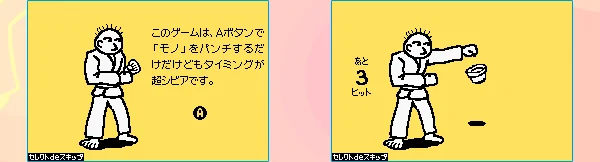
Rhythm Tengoku · Official Game Boy Advance guide
The official guide places Karate Man's instructions beside the game screen. Incoming objects and character movements signal when to act, rather than notes descending along separate lanes.
Image credit: Nintendo / J.P.ROOM · Source page ↗ · Original image ↗
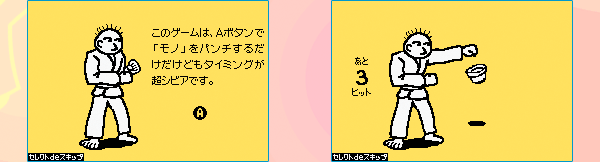
How studio examples connect actions to the next decision
Nintendo's official Rhythm Tengoku guide presents pressing buttons to music alongside results that depend on timing. A developer interview describes communicating rhythm through situations and sound instead of notation-like displays. These materials support comparison of what players see, hear and do.
Valve's Connecting Visuals to Gameplay explains how Team Fortress 2 prioritizes information about teams, classes and weapons. Its Left 4 Dead AI presentation examines how threats and rest shape tension. Together, they offer examples at two scales: the immediate decision and the pacing of a longer sequence.
This guide follows a core loop through cue recognition, anticipation and choice, input, interpretation and the next decision. The framework draws on published studio examples. The rhythm exercise and comparison plan below are our own worked examples.
Related primary sources: Nintendo · Official Rhythm Tengoku controls and results guide ↗ · Nintendo · Iwata Asks, Rhythm Tengoku: Game Boy Advance ↗ · Jason Mitchell, Connecting Visuals to Gameplay at Valve, 2008 · PDF pp. 8–9 ↗ · Michael Booth, The AI Systems of Left 4 Dead, 2009 · PDF pp. 78–82, 92 ↗
Connecting public materials to the analysis
| Source | Design described in the source | Application here |
|---|---|---|
| Nintendo · Rhythm Tengoku | Correspondence between music, buttons and timing results | Preparation cues and interpretation of results |
| Valve · TF2 visual design | Information hierarchy for teams, classes and weapons | Place signals needed for the current decision |
| Valve · L4D AI design | Intensity estimates and the arrangement of tension and rest | Section-level pacing across repeated actions |
| Original MDA paper | Relations among rules, runtime behavior and emotional experience | Observe behavior between a change and the resulting experience |
Carry each result into the next choice
A loop description needs to capture what the player learns as well as which button they press. When a circle approaches a line, its distance indicates how long remains. An early or late timing result gives the player information to adjust their next press.
Cues include position, speed, direction and sounds that anticipate an event. Players may wait, press now or choose another target. Results update the target state and score, while providing timing and direction feedback for the next attempt. Following that decision and interpretation explains how identical actions can serve different purposes.
“A circle approaches” can become a more useful design description: “The player reads the remaining distance, chooses when to press, sees the early-input indicator and waits longer on the next attempt.” Structure the observations in the same order.
Five observation categories for the core loop
| Stage | Information to design | Behavior to observe |
|---|---|---|
| Cue | Direction, target and anticipatory sound | When it was first noticed and which signal was used |
| Anticipation and choice | Time remaining and available actions | Waiting and target selection |
| Input | Process each input once and match it to a target | Repeated presses, wrong direction and input timing |
| Results | Acknowledgment, hit, early or late input | Whether players notice and distinguish the responses |
| Next decision | Repetition intervals and variations | What changes on the next input |
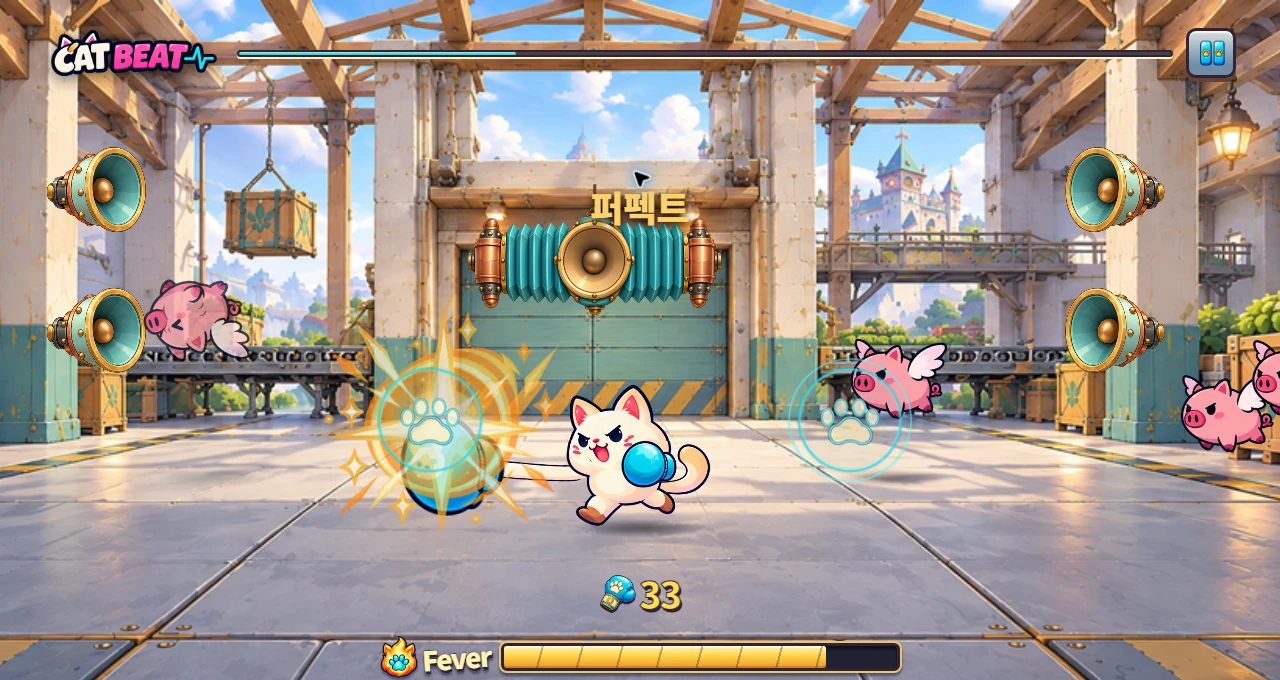
CAT BEAT : Wake the Beat · Development screenshot
A development screenshot using the Chapter 3 boxing background. Players counter incoming targets by matching their direction and timing.
Image credit: Level Up Today · Source page ↗ · Original image ↗
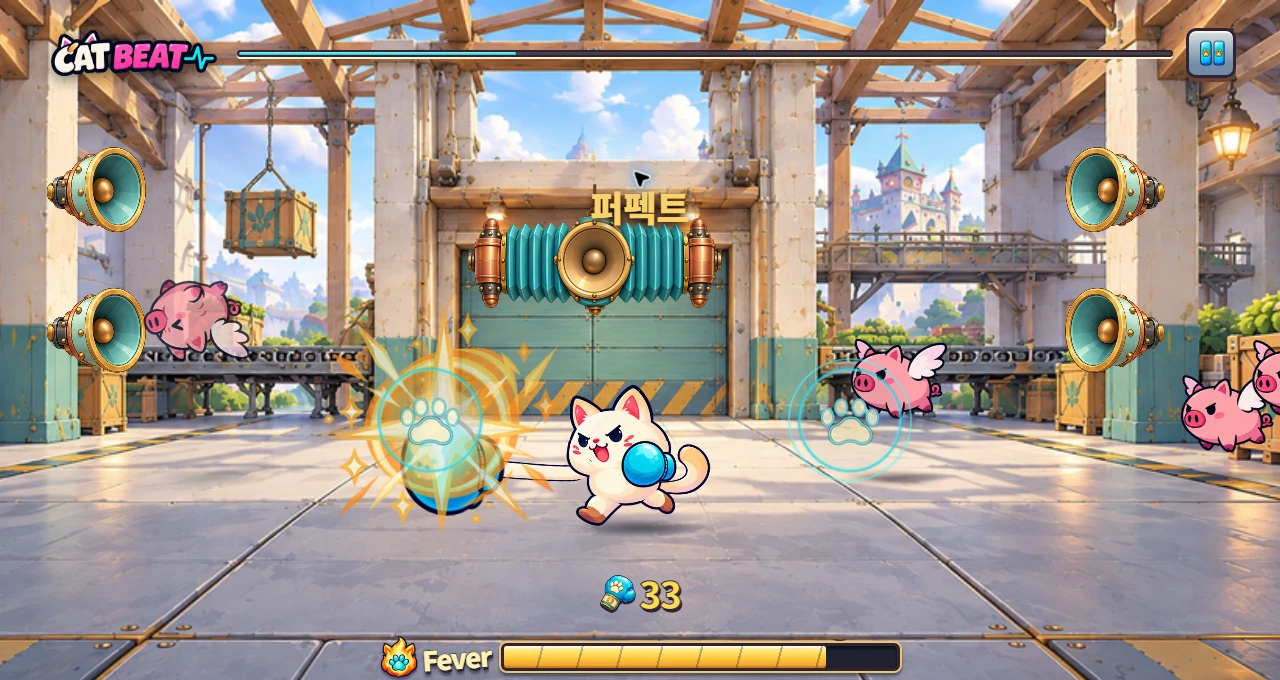
How results return to the next decision
An editorial analysis diagram. Expectations adjusted in the last stage become the reference for reading the next cue.
- Recognize cueDirection, distance and anticipatory sound
- Anticipate and chooseWait, press or select a target
- Perform the inputProcess one physical input
- Interpret resultEarly or late timing and target state
- Next decisionAdjust expectations and timing, then repeat
Connect rules, runtime behavior and experience
Hunicke, LeBlanc and Zubek's MDA distinguishes Mechanics at the level of rules and data, Dynamics as interactions during execution, and Aesthetics as players' emotional experience. It provides a framework for examining how a designer's rule changes appear in play.
In a rhythm exercise, target intervals and timing windows are rules. Waiting, repeated presses and timing adjustments are behaviors that emerge during play. Tension when anticipating a beat and the feeling of becoming familiar with a pattern are intended experiences. Observing the behavior between a rule change and that experience helps explain the connection.
After increasing lead time, examine when players notice the first target, how they prepare, how their timing error changes and how they explain their actions. Recording which cue they use can reveal different learning processes behind the same hit rate.
Related primary sources: Hunicke, LeBlanc and Zubek, original MDA paper · PDF pp. 1–4 ↗
Prioritize signals needed for the current decision
Valve's visual-design presentation describes identifying teams through color, classes through silhouettes and proportions, and weapons through contrast around the area where they are held in Team Fortress 2. The design prioritizes information needed for the current action.
In a rhythm game, the next note's direction, arrival time and input area carry similarly urgent information. Balance background and effect contrast so players can read the note's outline alongside the hit line. Specify which decisions color, shape and position need to support.
Cue consistency supports learning. Check whether the same ready sound anticipates input after the same interval and whether demonstration and response signals are distinguishable. If a large effect follows input, also inspect where and when the next target appears.
Related primary sources: Jason Mitchell, Connecting Visuals to Gameplay at Valve, 2008 · PDF pp. 8–9 ↗
Distinguish input feedback from the scored result
Acknowledging an input tells the player that the game received their action. Scoring establishes which target it matched and the result assigned to that target. Giving each a defined time and visual response makes the relationship between presentation and rules clear.
For example, show a small response as soon as a button is pressed, then display whether the matched target was hit or the input was early or late. Score a note only once, and deal with duplicate input events in the input handler.
Specify the shape, duration, position and layering priority of each response. In dense sections, check that feedback from the last note leaves the next one visible. Calculate timing error against the music timeline and define effect duration separately as a presentation rule.
Move from single inputs to the rhythm of a section
One pass through the loop prepares the next action. Across many passes, a section introduces rules, provides practice, adds variation and offers rest. Across the song, the design shapes tension between those sections and gives the ending a role.
Valve's Left 4 Dead presentation shows threat frequency and intensity being adjusted through Build Up, Sustain Peak, Peak Fade and Relax states. Threats are placed according to estimated player intensity to create a sequence of tension and rest.
For rhythm games, this approach suggests looking at chart density and rests section by section. When comparing versions of the same song and chart, keep tempo and target times fixed. Decide in advance whether the test changes anticipation cues, input density or demonstration length.
Related primary sources: Michael Booth, The AI Systems of Left 4 Dead, 2009 · PDF pp. 78–82, 92 ↗
Design information at different timescales
An editorial rhythm-game documentation example.
| Unit of analysis | What the player reads | What to adjust |
|---|---|---|
| One input | Which side to press now, and when | Cue, acknowledgment and judgment response |
| Pattern or brief section | Repeated intervals and variations | Demonstration length, density and rest |
| One round | Progress toward the objective and its conclusion | Section order and results summary |
| Choosing the next round | Records, new content and customization | Unlocks and selection information |
Distinguish learning now from reasons to play again
Timing feedback helps a player adjust the next input. Finishing a section or setting a record provides a goal across the round; new songs and customization may shape the next selection. For each reward, record when it arrives and what action it encourages.
A combo can encourage players to keep a pattern going. The design also needs a clear next cue and action after a mistake. A results screen can support another attempt with hits, total targets and a breakdown of changes by section.
Observe first attempts separately from later ones. Players might initially follow visual instructions, then learn to anticipate the interval from a ready sound. Record the cues and number of repetitions involved in that shift.
Define fixed conditions for a lead-time comparison
The hypothetical editorial task places 16 targets within a 30-second segment. At 120 BPM, one target occurs every three beats; target time is 4.0+1.5k seconds for k=0–15. The first target is at 4.0 seconds and the last at 26.5 seconds. Lead time is 1.5 seconds in condition A and 2.0 seconds in condition B.
Hold music, target times, input directions, judgment windows, display area and output device fixed. A target at 4.0 seconds appears at 2.5 seconds in A and 2.0 seconds in B. Its required hit time is identical in both conditions.
Increasing lead time over a fixed travel distance also changes screen speed. Along a 120 px path, A moves at 80 px/s and B at 60 px/s. Document this as a comparison of advance visibility together with its linked motion presentation. To examine screen speed and lead time independently, a different representation such as a stationary advance marker can be designed.
Record order, with some participants experiencing A first and others B first. Include learning, fatigue and familiarity on the second exposure to the same pattern in the interpretation. Connect the scope observed in one comparison to the next question.
Comparison conditions for 16 targets
A hypothetical editorial task. With travel distance fixed, lead time and screen speed remain linked; this condition is recorded explicitly.
| Item | Condition A | Condition B |
|---|---|---|
| Target array | 4.0+1.5k s, k=0–15 | Same 16 targets, directions and target times |
| Lead time | 1.5 s | 2.0 s |
| Appearance of the 4.0 s target | 2.5 s | 2.0 s |
| Speed along a 120 px path | 80px/s | 60px/s |
| Judgment window, music and screen | Same test settings | Same test settings |
| Presentation order | Record participants assigned A→B | Record participants assigned B→A |
Read timing errors alongside player strategies
Input error e is corrected input time minus target time. Negative values indicate early input; positive values indicate late input, in ms. The median can describe directional tendency, while absolute errors describe distance from the target. Record missed targets as a separate count.
Mean signed error alone can cancel early and late inputs. Hypothetical errors of −80 and +80 ms have a signed mean of 0 ms and a mean absolute error of 80 ms. Recording hits, misses, error distributions and target positions together helps explain what changed across repetitions.
Record how long players wait, where they press repeatedly and how timing changes after feedback. Compare these observations with participants' explanations to examine cue recognition, rule understanding and execution in turn.
Name the part of the loop that needs revision
A finding should identify which part of cue recognition, choice, execution or interpretation needs changing. Noticing a target points to presentation and advance cues. Choosing it points to lane and direction rules. Hitting it on time points to timing rules and feedback.
“Improve impact feel” can become specific work on input acknowledgment, scored-result timing, effect duration and visibility of the next note. Record the settings to change, conditions to hold fixed, expected behavior and retest method. The loop then connects the result of play to the next design decision.
Files to use
A learning example created by Level Up Today. It may be adapted for use and is separate from actual player records or original game data.
Sources & scope
Sources reviewed October 17, 2026: Nintendo's official guide and developer interview on the GBA design; information hierarchy in Valve's visual-design presentation, PDF pp. 8–9; pacing in the L4D presentation, PDF pp. 78–82 and 92; and MDA definitions, analysis and tuning, PDF pp. 1–4. Cue → choice → input → result → next decision is this article's editorial framework. The 16-target task and lead-time, distance and error figures are original comparison examples, separate from actual playtest results. CAT BEAT is a development case from the same operator.
- Nintendo · Official Rhythm Tengoku controls and results guide ↗
- Nintendo · Iwata Asks, Rhythm Tengoku: Game Boy Advance ↗
- Jason Mitchell, Connecting Visuals to Gameplay at Valve, 2008 · PDF pp. 8–9 ↗
- Michael Booth, The AI Systems of Left 4 Dead, 2009 · PDF pp. 78–82, 92 ↗
- Hunicke, LeBlanc and Zubek, original MDA paper · PDF pp. 1–4 ↗
- CAT BEAT : Wake the Beat · Development screenshot · Image source ↗