Prototyping / Production guide
Making a small game: from first input to a complete round
A small game's first working build should let players complete a round and put a design question to the test. Drawing on developer postmortems, a studio's prototype criteria and an official engine tutorial, this guide follows the process from choosing features to handling state transitions, restarting and testing the result.
Article summary
- Start with the features and risk tests needed to answer the central question.
- Connect the start, player inputs, results and restart through a shared round state.
- Expand from fixed target data and observable completion criteria.
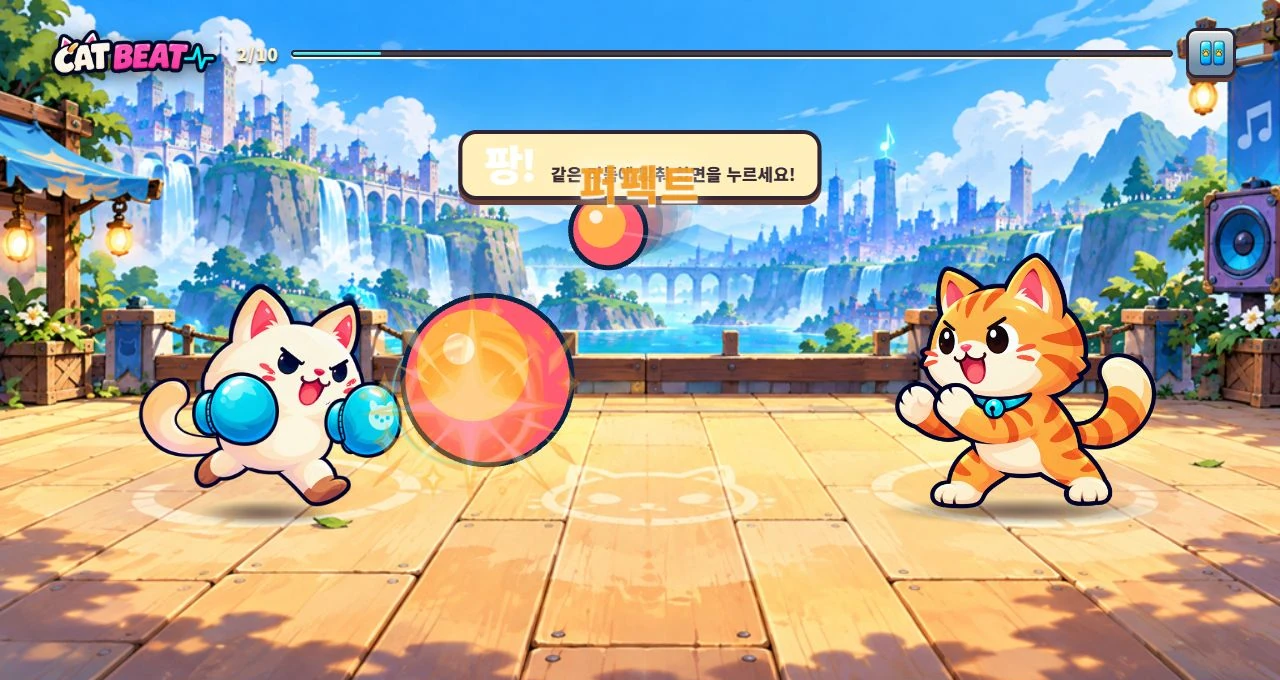
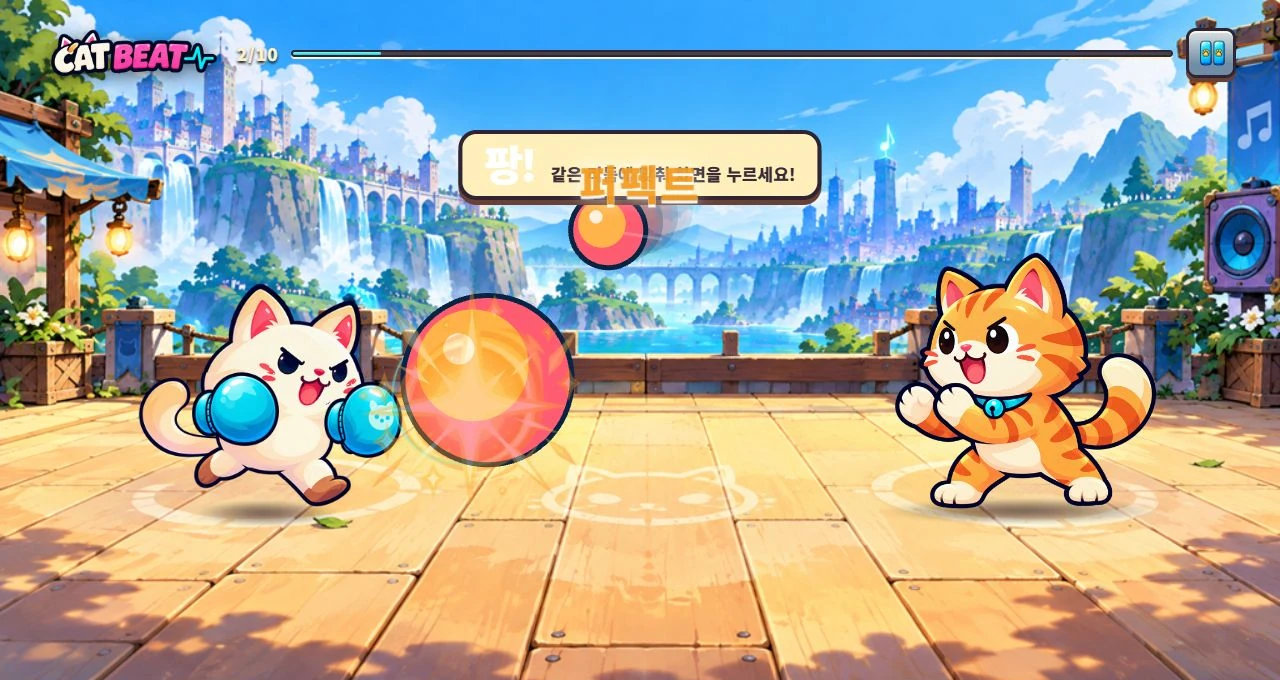
CAT BEAT : Wake the Beat · Development screenshot
Practice mode in development, showing how the rhythm players hear connects to the actions they perform.
Image credit: Level Up Today · Source page ↗ · Original image ↗
Test ideas in short development cycles
In their 2005 postmortem, Experimental Gameplay Project participants describe choosing a shared theme and independently building prototypes in short bursts. One example begins with a hands-on physics interaction, then adds objectives, scoring and chain rules. This puts the feel of the basic interaction under scrutiny early in development.
Arkadium R&D director Tom Rassweiler describes playable builds that make their core rules clear, alongside a process for evaluating them. His completion criteria cover visible goals and progress, clear results, replayability and whether a newcomer can take meaningful action.
Both sources connect production scope to the experience being investigated. This guide draws its sequence from developer postmortems, a studio's account and an official engine tutorial. The rhythm exercise and work tables that follow are editorial examples.
Related primary sources: Experimental Gameplay Project participant postmortem · How to Prototype a Game in Under 7 Days, 2005 ↗ · Tom Rassweiler on Arkadium's R&D process and completion checklist, 2012 ↗
Decisions illustrated by the production sources
| Source | Process examined | Application in this guide |
|---|---|---|
| Experimental Gameplay Project | Handle the basic interaction first, then add objectives and rules | Connect the technical response to the round's objective in stages |
| Arkadium | Evaluate goals, progress, results, replay and understanding | Define completion through the actual play sequence |
| Riot Games | Representative play and a minimal genre structure | Select features that test the central question |
| Official Godot example | Start timer, game end, score and position reset | Define round-level states and responsibility for restarting |
Define the first build's question and scope
Begin with one sentence stating what this build should reveal. Observable questions such as “Can a newcomer anticipate a target's arrival and respond?” or “Can players distinguish a hit from a miss by the immediate feedback?” help determine which features are needed.
Riot Games discusses testing a core change through representative play, supported by a minimal genre structure it calls a game scaffold. For this rhythm exercise, that scaffold is a shared music timeline, a target array, input handling, hit detection and a results screen.
One screen, one input and one target type provide a starting scope. Music synchronization, networking, storage and accounts each introduce their own technical requirements. Separate features needed for the current question from those for a later stage, and fix the device and control method at the same time.
Related primary sources: Riot Games, Prototype: Building a Game’s Substance, 2020 ↗
Work sequence and evidence for the next stage
| Stage | Deliverable | Result to compare |
|---|---|---|
| Question and scope | Audience, device, action and required features | The question this test will answer |
| Test technical risks | Core controls, timeline and technical tests | Reproduction conditions and adopted conventions |
| Complete a round | Start, targets, input and results | A sequence that ends even without input |
| Restarting and interruption | Reset and resume handling | Duplicate processing and events left over from earlier rounds |
| Observe understanding | Record the first action and recognition of results | Assistance, conditions, observations and interpretations |
| Content expansion | Tables, assets and difficulty settings | Recheck the same acceptance cases |
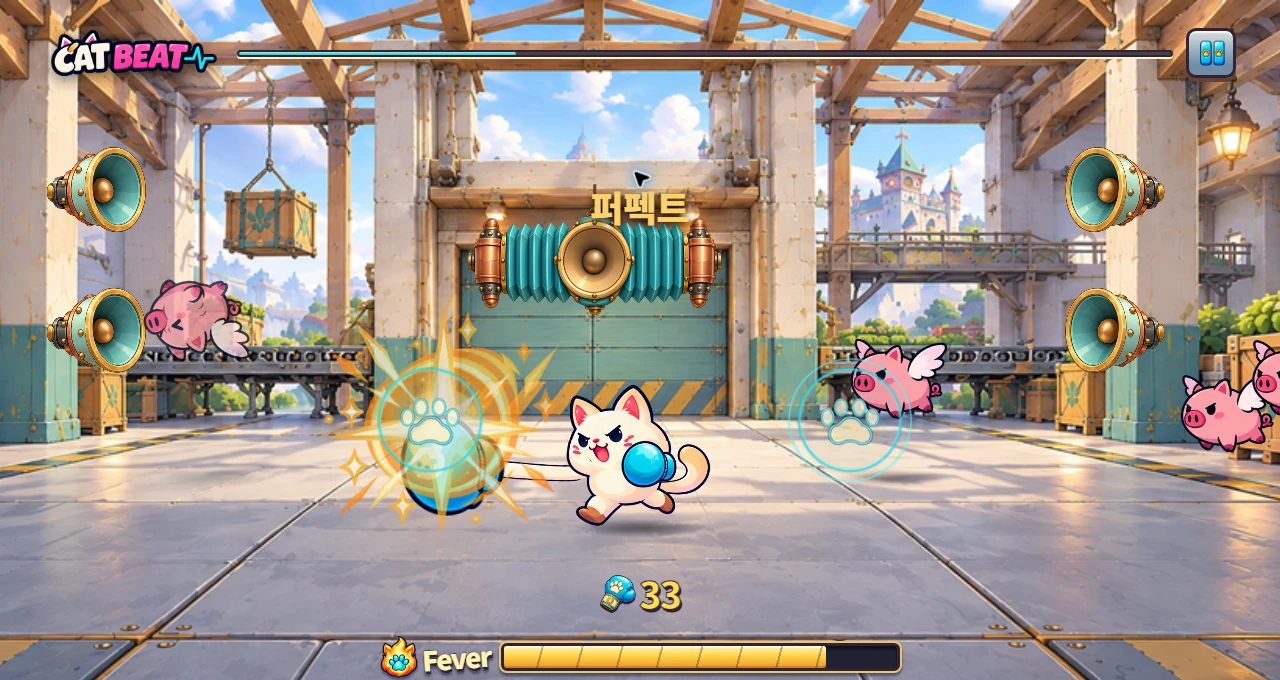
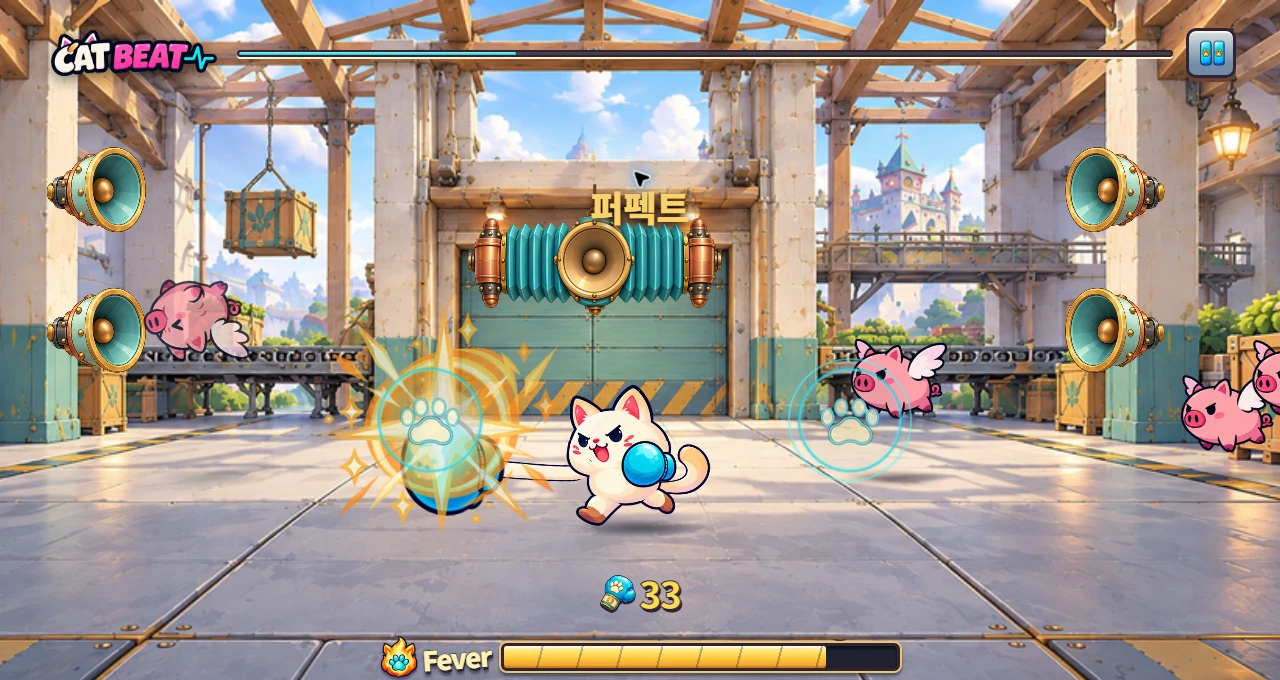
CAT BEAT : Wake the Beat · Development screenshot
A development screenshot using the Chapter 3 boxing background. Players counter incoming targets by matching their direction and timing.
Image credit: Level Up Today · Source page ↗ · Original image ↗
Test uncertain technology and behavior first
Build in an order that makes each intended experience testable. A rhythm game first needs audio startup, music position and input timestamps to work together. A physics puzzle may first need to establish how an object moves and what constrains it when picked up or released.
A prototype built to investigate risk should expose the relevant values and responses. Show music position alongside input timing error, for example, and compare the same targets after starting, pausing and resuming. Record the device, audio output hardware, build and data version so the next implementation can be tested under comparable conditions.
Once an element has been tested, record the implementation chosen and the conditions checked, then connect it to the round. Give art and sound a clear role at each stage: a layout might support a decision, while an audio cue helps the player anticipate when to press.
Start with one interaction, then build the round around it
The Experimental Gameplay Project's Build the Toy First section describes developing a basic interaction before adding objectives and rules. In our rhythm example, that means getting a circle to move and respond to input.
Next, connect target spawning, waiting, a hit or miss, the following target and the results. Time and targets must progress to an ending even when no input arrives. Restarting from the results screen makes the same rules available in a new round.
A minimal build that runs from start to results reveals dependencies throughout a round. With guidance, input, hit detection and feedback in one place, the team can see where additional content will fit.
Related primary sources: Experimental Gameplay Project participant postmortem · How to Prototype a Game in Under 7 Days, 2005 ↗
From a design question to a replayable round
An editorial production flow. Inspect the running result at each stage before proceeding.
- Design questionWhat players see, decide and press
- Risk testCore technology, input and timing conditions
- Complete a roundStart, judgment, results and restart
- Observe and adjustCompare completion criteria with player behavior
Give round transitions a clear owner
Godot's official first 2D game tutorial places spawn, score and start timers in the Main scene. It stops timers at game over and resets the score and player position for a new game. The example connects the player's collision signal to round-level progression.
The principle applies across engines: manage the round's state separately from each target's state. A round may be waiting, ready, playing, paused or showing results; a target may be pending, hit or missed. Specify which states accept gameplay inputs and advance time so interruptions and endings have predictable behavior.
Entering the results state stops target spawning and scoring. Assign responsibility for clearing timers, event subscriptions and music playback. Restarting resets the note list, score, current index and playback origin for a new round.
Related primary sources: Official Godot tutorial · The main game scene ↗
Round states and responsibilities
| Round state | Time and input | Transition and cleanup |
|---|---|---|
| Waiting | Await game input | Accept the start command once |
| Ready | Music advances; scoring input is excluded | Enter playing at 2.0 s |
| Playing | Compare note timing against music time | Finalize each hit or miss once |
| Paused | Stop music and hit detection | Preserve position; separate the resume input |
| Results | Stop target spawning and scoring | Show hits and misses; offer restart |
| Restart processing | Clean up previous tasks and events | Reset notes, score, index and music origin |
Check the first round with fixed data
The illustrative “One-beat practice” uses 30 seconds of music at 120 BPM. A beat lasts 0.5 seconds, and the first 4 beats, from 0 seconds inclusive to 2 seconds exclusive, are preparation. Place 56 targets at 0.5-second intervals from 2.0 to 29.5 seconds. For note_id values 0–55, the target time is 2.0+0.5×note_id seconds.
The test hit window extends 100 ms before and after each target, including both boundaries. Round state takes priority, so inputs during preparation are excluded from the totals, making the first target's valid interval 2.0–2.1 seconds. The last target's late boundary is 29.6 seconds, and results open at 30.0 seconds. This is the same timing contract as the editorial example in the GDD guide.
Fixing the target array and random values makes the first round easier to reproduce. The sum of hits, misses and unjudged targets should always be 56. By the results screen, every target is finalized, so hits plus misses equal 56.
Test restarting and interruption as part of the round
Restarting several times can reveal events and timers left over from earlier rounds that repeat the same processing. Also record how many rounds are created by rapid taps on Start and how many times one input is delivered.
Pausing must preserve music position and the timing used for hit detection together. Decide whether returning continues immediately or gives another ready cue, and whether the Resume action can also hit a note. In this example, Resume only restarts the round; the next gameplay input is the first that can score.
Test the same data with normal hits, no input, rapid repeated inputs, a hidden window and a restart, in that order. Record the device, browser and audio output method. Keep automated timing calculations separate from tests of how the sound and input feel to a player.
Acceptance cases for the first build
Expected results for the editorial example with 56 targets.
| Test | Expected result | Values to record |
|---|---|---|
| 30 seconds without input | 0 hits, 56 misses, results displayed | Round state and total counts |
| An in-play target at ±100 ms / 101 ms | Both boundaries hit; outside inputs leave the hit count unchanged | Input error and note state |
| Repeated input on one note | Keep the original result | Physical inputs and consumed inputs |
| Hide the window and resume | Paused position preserved; Resume excluded from judgment | Music position and number of scored notes |
| Restart twice from results | Start with the same 56 targets and initial values | Note count and duplicate subscriptions or timers |
| Apply new assets | Recognize target and result cues | Occlusion, contrast and input area |
Separate variables before expanding the content
Once a round runs from start to finish, make targets, lead time, timing windows and audiovisual effects independently configurable. Changing lead time while holding target times fixed changes how long players have to read a note. Changing the timing window changes which inputs count as hits.
When adding characters and backgrounds, estimate the artwork needed for each direction, action and appearance. After swapping assets, check that notes and the hit line remain visible and that input effects leave the next cue readable. Keeping controls consistent helps reveal what each content change does to the experience.
Put values used repeatedly in production into data tables with defined IDs, units, versions and allowed ranges. After changing a setting, replay the same round and compare note results, ending conditions and restart behavior.
Express completion as observable results
Arkadium's published completion checklist connects visible objectives, progress, results, replay and audiovisual responses to successful actions. It also evaluates whether newcomers can make meaningful progress without help. These are criteria the team proposed for evaluating its prototypes.
Write completion criteria alongside the connection between starting, input, results and restarting. Test whether a round ends without input, whether one note can be counted as a hit more than once, and whether the second round begins under the same initial conditions as the first.
During playtests, record when players understand the first action, how they read the results and what changes on their next attempt. Review those observations alongside tests of the rules to decide what to revise.
Related primary sources: Tom Rassweiler on Arkadium's R&D process and completion checklist, 2012 ↗
Keep a working build and decision record at every stage
For each finished task, record the feature, a runnable build, input conditions, expected results and actual results. A task labeled “implement hit detection” might include boundary tests around a 5.0-second target and checks that missed notes are finalized.
Each stage leaves the starting point for the next. Carry the clock and unit conventions established in technical tests into feature specifications. Turn playtest findings about guidance into visual and audio rules. Keeping completed work distinct from the next version's open questions helps preserve the round's basic flow as content grows.
Files to use
A learning example created by Level Up Today. It may be adapted for use and is separate from actual player records or original game data.
Round production stages and acceptance criteria · CSV (Korean) ↓
Sources & scope
Sources reviewed October 17, 2026. We read the Experimental Gameplay Project participants' account of connecting basic interaction to objectives; the Arkadium R&D director's prototype objectives and completion checklist; Riot's account of representative builds; and the start, timer, ending and reset examples in Godot's official Main scene tutorial. The fixed target array, state transitions, acceptance table and rhythm exercise values are editorial applications. CAT BEAT screenshots show Level Up Today's own development work.
- Experimental Gameplay Project participant postmortem · How to Prototype a Game in Under 7 Days, 2005 ↗
- Tom Rassweiler on Arkadium's R&D process and completion checklist, 2012 ↗
- Riot Games, Prototype: Building a Game’s Substance, 2020 ↗
- Official Godot tutorial · The main game scene ↗
- CAT BEAT : Wake the Beat · Development screenshot · Image source ↗