Rhythm design / Rhythm analysis
Chart design: BPM, the first beat and target times
Charting starts with a musical choice: which sounds should the player follow? Those actions then need positions in the audio file. This guide uses two bars at 120 BPM, with a reference beat at 1.2 seconds, to connect those choices to a CSV and timing diagrams.
Article summary
- Name the file start, musical reference beat and actual first input.
- Calculate the eight-beat grid separately from the six inputs.
- Record what else changes when adjusting rests, directions or how long cues remain visible.
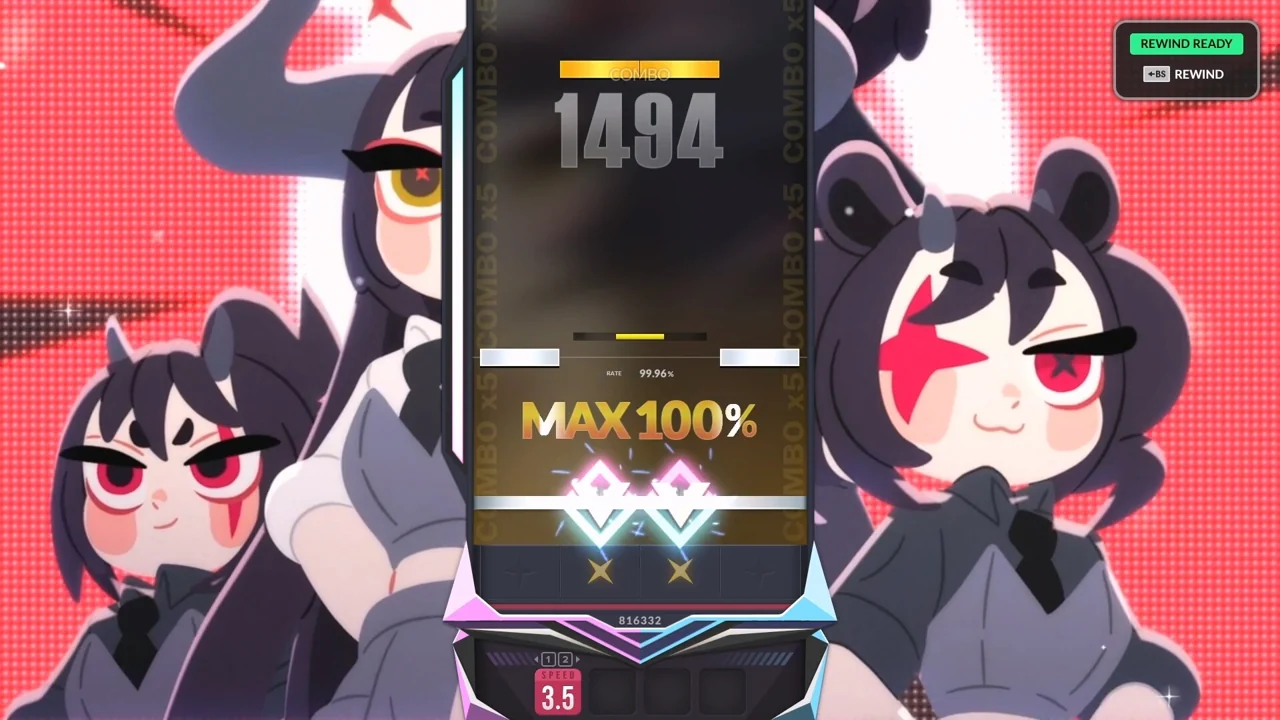
DJMAX RESPECT V · Official PC screenshot
The lanes and hit line show notes the player is reading. To establish which instruments those notes follow, compare the recording with the chart.
Image credit: NEOWIZ / Steam · Source page ↗ · Original image ↗
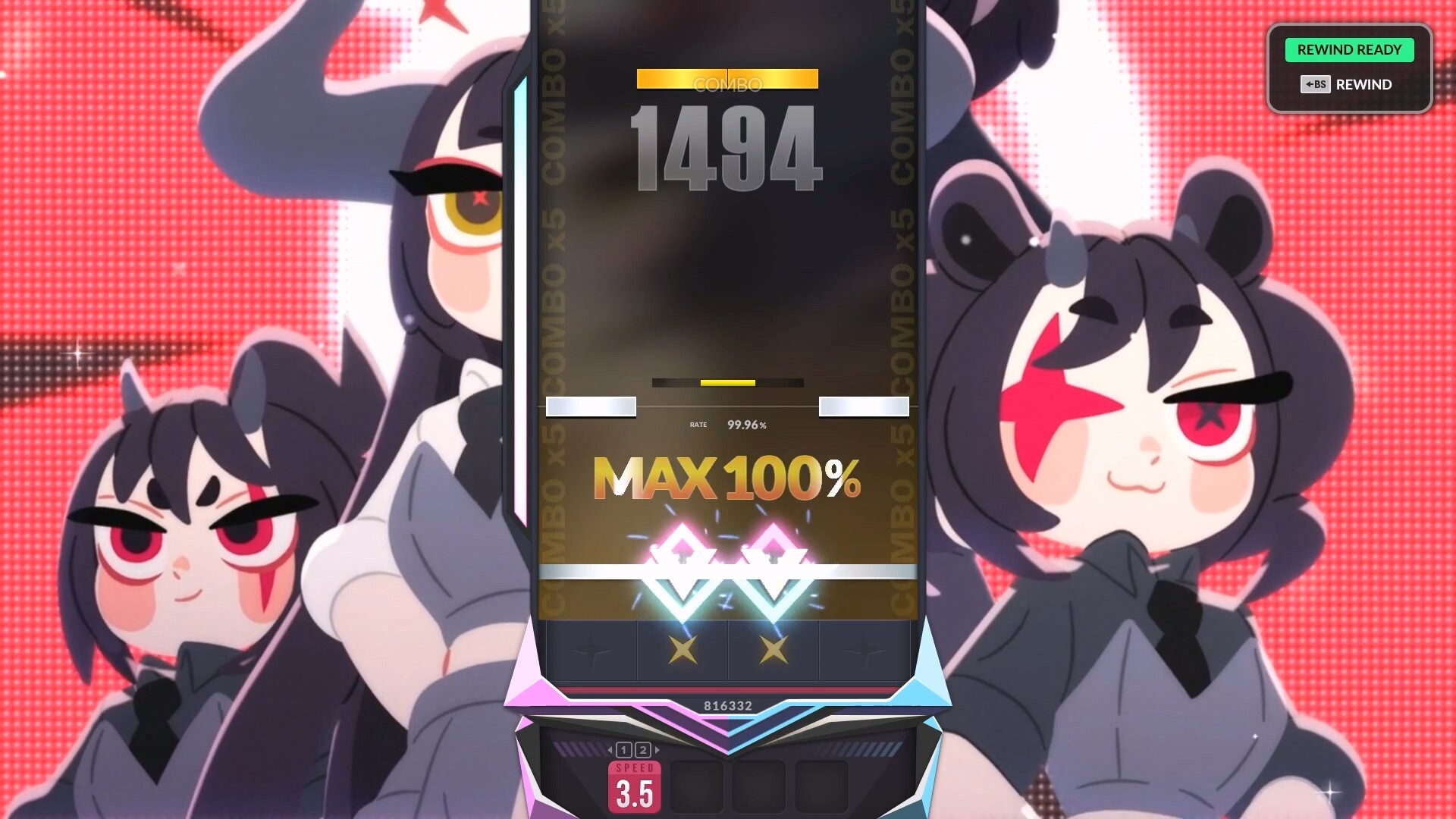
Choose which sounds the player will follow
DJMAX's lanes show upcoming inputs. CAT BEAT's VS screen combines direction markers on either side with result displays. Screenshots reveal the information presented to players; choosing which sounds to chart requires comparing musical events with note data.
The editorial example selects only kicks for input A, and kicks plus snares for input B, from the same kick, snare and hi-hat events. This assigns different action requirements to the same music. Document the sound followed and the reason for changing that reference by section.
Musical events and input selections occupy different rows
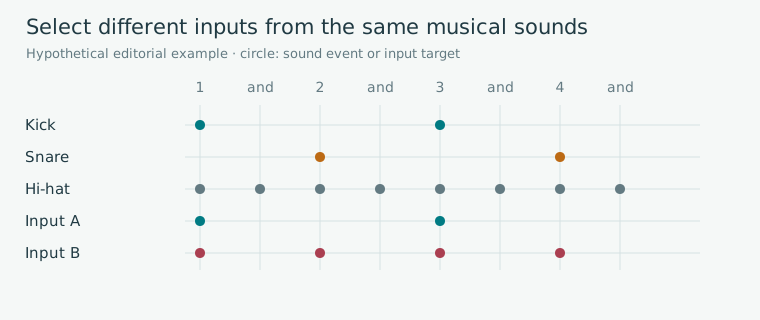
Editorial diagram · A hypothetical comparison selecting kicks only for A and kicks plus snares for B from the same synthesized pattern.
Horizontal axis: one bar, 1-&-2-&-3-&-4-&. Rows: instruments and inputs. ●=sound; □=input.
On smaller screens, scroll the diagram horizontally. Enlarge diagram ↗
Values and sequence shown in the diagram
- Kick on beats 1 and 3 / snare on 2 and 4 / hi-hat every half beat
- Input A on beats 1 and 3 / input B on 1, 2, 3 and 4
Define file start, reference beat and first note
Set the file's start to 0 seconds and the reference beat to bar 1 at 1.2 seconds. The first sound might be a pickup; the first required input might instead fall at 1.7 seconds. Store the musical timing offset separately from the correction used to align device inputs.
The osu! Timing documentation explains timing segments, BPM and meter relative to the recording, while the file format separates reference information from individual input objects. Calculations here use an original CSV and fixed 4/4 example following that distinction.
Related primary sources: osu! · Timing ↗ · osu! · Timing points / Hit objects ↗
Two bars with the same six inputs as the CSV
| b and counted beat | File time | Action |
|---|---|---|
| 0 · bar 1, beat 1 | 1.2 s | L |
| 1 · bar 1, beat 2 | 1.7 s | R |
| 2 · bar 1, beat 3 | 2.2 s | L |
| 3 · bar 1, beat 4 | 2.7 s | R |
| 4 · bar 2, beat 1 | 3.2 s | L |
| 5 · bar 2, beat 2 | 3.7 s | Rest |
| 6 · bar 2, beat 3 | 4.2 s | R |
| 7 · bar 2, beat 4 | 4.7 s | Rest |
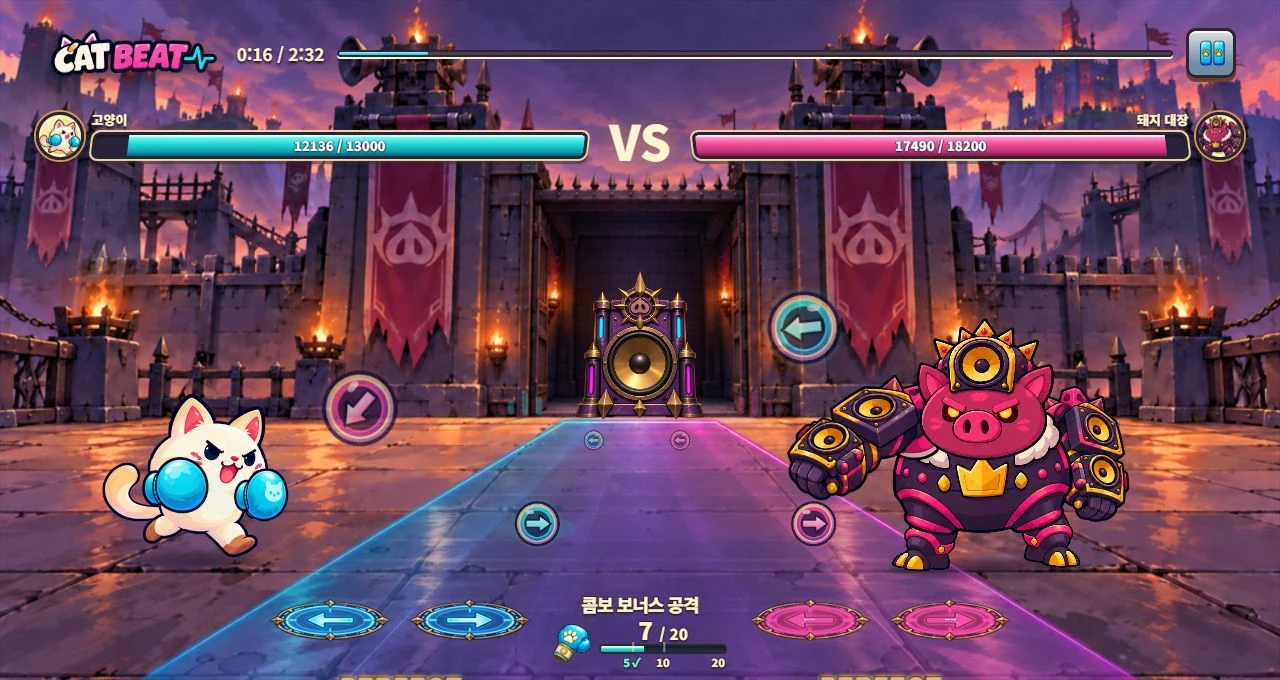
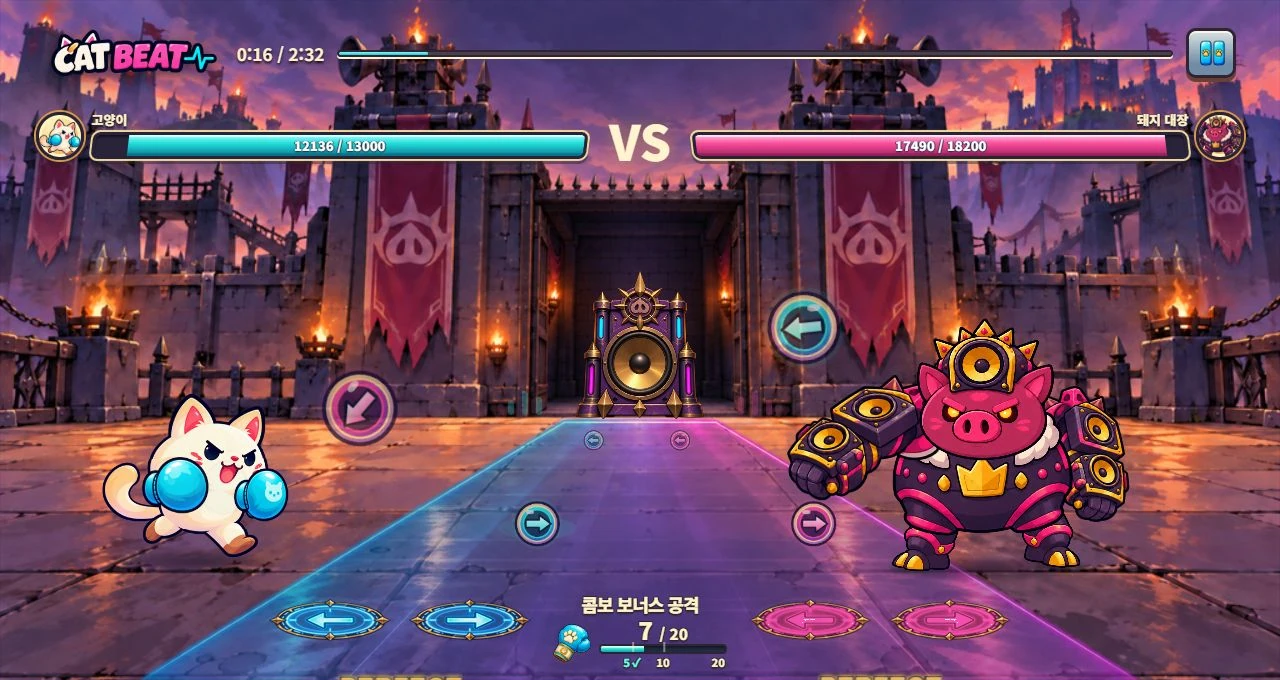
CAT BEAT : Wake the Beat · Development screenshot
A development screenshot with direction markers on either side, health and combo displays. Establishing when a demonstration disappears and the response begins requires the rules and a continuous play sequence.
Image credit: Level Up Today · Source page ↗ · Original image ↗
Convert two bars into music-file seconds
At a fixed 120 BPM with quarter-note beats, one beat lasts 0.5 seconds. Position b, counting the reference beat as 0, occurs at 1.2+0.5b seconds. Positions b=0–7 are 1.2, 1.7, 2.2, 2.7, 3.2, 3.7, 4.2 and 4.7 seconds; 5.2 seconds is the boundary beginning the third bar.
The existing downloadable CSV contains six inputs at b=0, 1, 2, 3, 4 and 6, with rests at b=5 and 7. Reading the eight-cell beat grid separately from the six inputs connects musical timing to action selection.
Align musical beat positions with file time
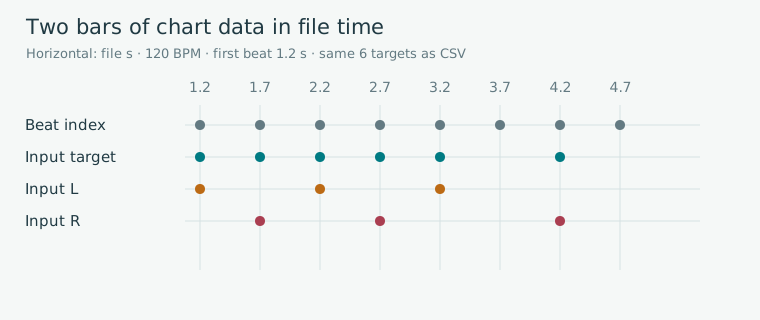
Editorial diagram · Fixed 120 BPM, 4/4 and a reference beat at 1.2 seconds. The eight beats across two bars and six CSV inputs appear together.
Horizontal axis: file time (seconds). Upper ticks: beat position b. Markers: L/R input or rest.
On smaller screens, scroll the diagram horizontally. Enlarge diagram ↗
Values and sequence shown in the diagram
- b=3 → 1.2+3×0.5=2.7 s
- b=5 and 7 are input rests
- 5.2 s begins the third bar
Design rests and directions as distinct actions
A rest can leave the music silent, give the player time to prepare or ask them to withhold input while a sound plays. State what the player is waiting for and what signals the next action. This explains why a section has fewer notes.
At the same timestamps, LLLL repeats one hand while LRLR changes direction. Record the device, hand position and speed, then define what to observe. A challenge that switches from reading notes to recalling a demonstration also needs demonstration length, cue-disappearance time, the wait and response length.
Update reference information when segments change
The fixed-tempo formula applies within its defined segment. A following segment at another BPM connects its start time to a new beat duration. Gradual changes in live performance may require denser references or manually specified musical timestamps.
After changing the audio version or leading silence, check the reference beat again. A shift affecting every note suggests checking the time origin; one beginning partway through the song points to the segment definitions.
Related primary sources: osu! · Timing ↗
Compare one CSV row with sound and screen
In the CSV, note_id 2 is b=1, 1.700 seconds, R. Find that moment in the same audio file and connect it to the on-screen display. Then check ordering, direction, simultaneous-input rules, note processing and miss deadlines. Interpret rows with matching timestamps according to the defined simultaneous-input policy.
Once the beat-to-second arithmetic checks out, listen and play to test whether players can follow the chosen musical reference. The diagrams and CSV are learning examples created for the guide; they have a different origin from the pictured games' internal chart data.
Three reference times in an input CSV
| Source | Example | Interpretation |
|---|---|---|
| File start | 0 s | Origin of audio-file coordinates |
| Reference beat | 1.2 s | Musical reference at b=0 |
| First CSV input | 1.2 s · L | Target selected in this arrangement |
| First input in another arrangement | Could be selected at 1.7 s · R | Change target selection while preserving the musical reference |
| Device correction | Separate value and sign convention | Input correspondence under measured conditions |
Files to use
A learning example created by Level Up Today. It may be adapted for use and is separate from actual player records or original game data.
Sources & scope
Sources reviewed 2026.10.17: Song structure and Single/Multiple BPM in osu! Timing, and timing/object fields in the file format. The 120 BPM reference, 1.2-second beat origin and six-input CSV are editorial learning examples. Actual screenshots illustrate display methods; musical selections and demonstration/response behavior require separate materials and play observations.