Technology news / Technical note
Silent web games: checking autoplay and playback state
Pressing Start begins a chain of work: prepare the file, resume the context, start a source and check the output. This guide explains the different API results and errors, then defines states for repeated inputs, recovery and user guidance.
Article summary
- Separate file, context, source and output states.
- Handle play, resume and start results differently.
- Define when visual guidance and music-timed play may start.

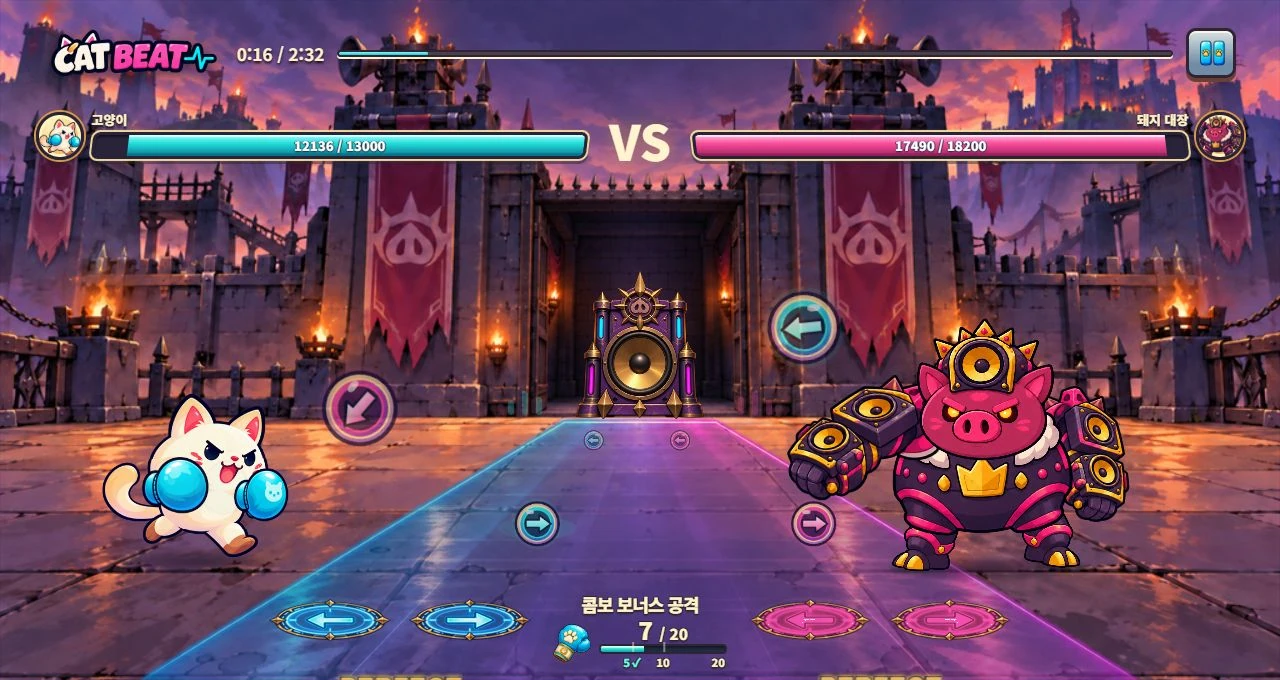
CAT BEAT : Wake the Beat · Development screenshot
Music and input in a development build. The stages below explain how to examine startup requests and playback permission using execution records.
Image credit: Level Up Today · Source page ↗ · Original image ↗

Make the first-playback state clear
A web game's first sound depends on prepared files, browser playback permission, source startup and an output path. Chrome's policy and MDN's guide explain user actions and autoplay conditions. The interface should communicate the application's state after the user presses Start.
This technical note reviews existing playback policies and APIs and identifies implementation checks for first playback.
Related primary sources: Chrome · Autoplay policy ↗ · MDN · Autoplay guide ↗
Inspect files, context, sources and output separately
A file must finish fetching and decoding before it can be used. Check AudioContext state and, when needed, request resume() from a user action. Connect a buffer source and schedule its start, then inspect gain, output routing and device volume.
A running context is able to process audio. Hearing a source also requires a connection, a nonzero level and a working device output. Check each stage. When the context is suspended, record what happened and which call preceded that state to narrow the cause.
Evidence for investigating the first sound
| Stage | Record | Check |
|---|---|---|
| File | Fetch and decode results | Usable buffer |
| Context | State and resume result | State capable of processing |
| Source | Node count, connections and start | Playback without duplication |
| Output | Gain, device and volume | Sound actually heard |
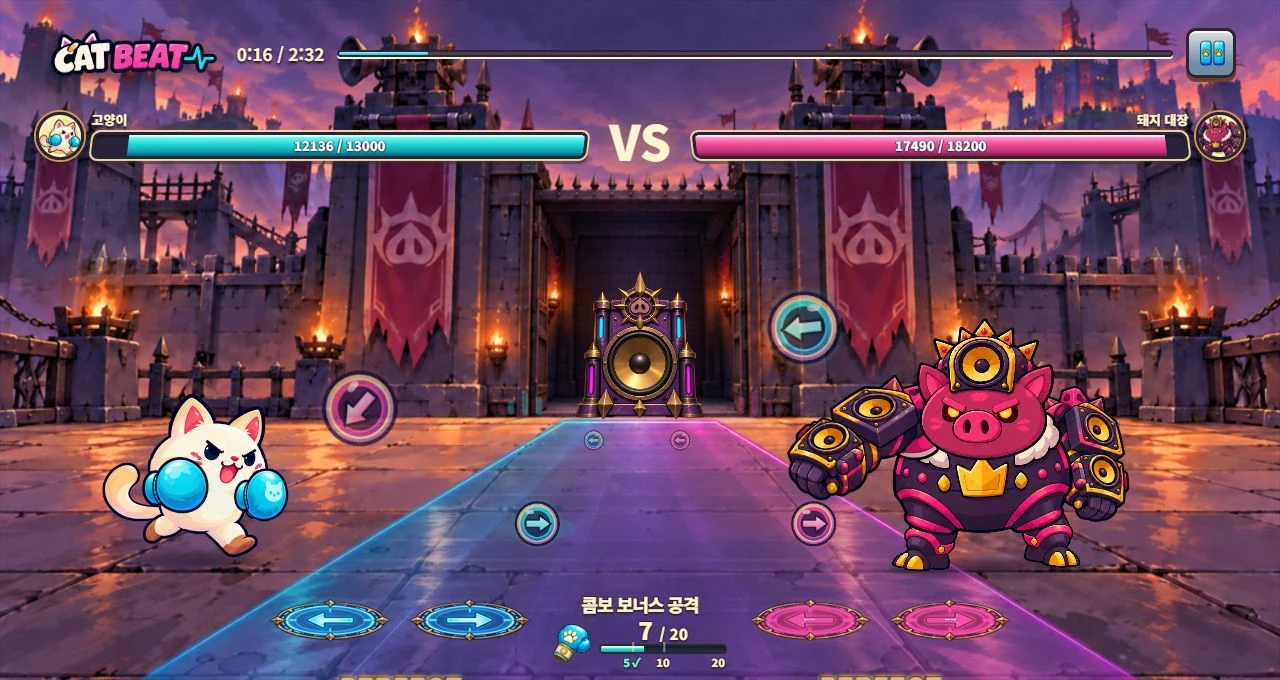
CAT BEAT : Wake the Beat · Development screenshot
A VS screen showing controls and results. Documentation and API outcomes below explain the browser's first-playback conditions.
Image credit: Level Up Today · Source page ↗ · Original image ↗
Four stages to inspect before the first sound
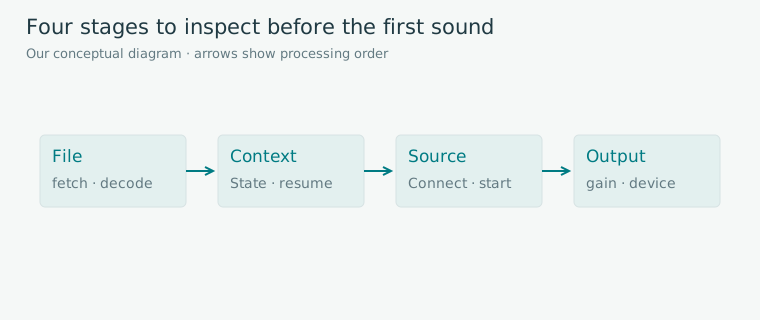
Editorial diagram · An original investigation path separating responsibilities from file preparation to device output.
Columns: file → context → source → output. Arrows indicate inspection order.
On smaller screens, scroll the diagram horizontally. Enlarge diagram ↗
Values and sequence shown in the diagram
- fetch·decode
- State and resume result
- buffer, connections and start
- gain, destination and device
Handle the three APIs' results differently
HTMLMediaElement.play() returns a Promise for the playback attempt. AudioContext.resume() also returns a Promise for the resume request. AudioBufferSourceNode.start() returns no value and is called once per node. A fresh start requires a new source.
Assign handling for each call's success, failure and exceptions. Show a preparing state after Start is pressed, then update it when the required requests finish. Give the user a way to retry after failure.
Related primary sources: MDN · Autoplay guide ↗ · MDN · AudioContext.resume() ↗ · MDN · AudioBufferSourceNode.start() ↗
Return values and retry responsibilities
| API | Results | Handling |
|---|---|---|
| media.play() | Promise | Update state after fulfillment or rejection |
| context.resume() | Promise | Check state, result and output path |
| source.start() | undefined; may throw an exception | Once per node; create a new source to restart |
Design repeated input and return after interruption
While a start request is pending, prevent duplicate requests from creating several sources. Request IDs, source counts and transition timestamps make the result of one press traceable.
One example recovery policy pauses music and notes together, saves the file position and resumes with one new source after a ready cue. Choose a policy that fits the game's rules and supported environments, and retain the interruption cause and saved position.
Keep the interface usable while audio prepares
Descriptions, menus and visual control instructions should stay readable while sound prepares. Start music-based scoring once the required audio is ready. Define which guidance can run beforehand and exactly what allows scored play to begin.
The four states below are original UI models rather than browser screenshots. Preparation, waiting for user start, playback confirmation and error each offer different actions. An error message can provide options to retry immediately or read an explanation.
Show a different next action in each state
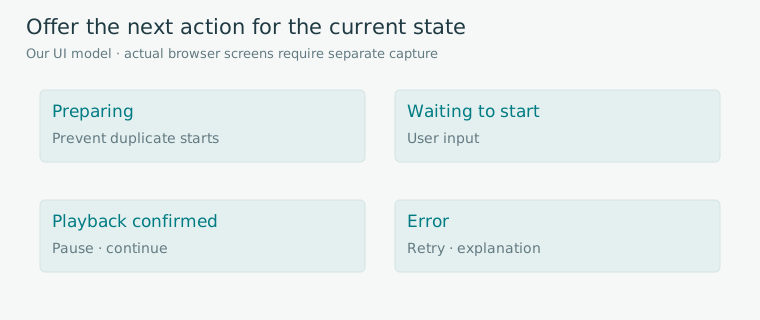
Editorial diagram · An original UI model, separate from actual browser captures.
Four panels: preparing, waiting to start, playback confirmed and error. Panel sizes carry no numerical meaning.
On smaller screens, scroll the diagram horizontally. Enlarge diagram ↗
Values and sequence shown in the diagram
- Preparing: manage duplicate start requests
- Waiting to start: user input
- Playback confirmed: pause or continue
- Error: retry or explanation
Record execution conditions alongside observations
Record browser and version, operating system, output device, user action, context state and API results. Test first visits, reloads, rapid Start presses, tab switching and return separately. Define what identification is needed and exclude personal information from test records.
Automated checks can cover button responses, file requests and state transitions. Listening and playing on devices establish whether audio is heard and how it lines up with inputs. Keep those checks distinct so a first-playback problem can be reproduced and a fix supported by evidence.
Sources & scope
Sources reviewed 2026.10.17: Chrome policy, MDN autoplay, and the return values and exceptions of resume and start. The four UI states and recovery policy are original design examples, presented separately from complete browser or physical-device listening validation.